Category: Uncategorized

How Proactive Support Boosts Salesforce Adoption

What You’ll Find in This Blog 

  • The Link Between Support & Adoption: This blog explains why consistent, proactive support is the single most important factor for increasing user adoption of Salesforce. 
  • Common Adoption Killers: It identifies major roadblocks to user engagement, such as poor data quality, lack of training, and a reactive support model. 
  • The Managed Services Solution: It highlights how a managed services team actively addresses these issues through continuous enablement, quick fixes, and a commitment to understanding user needs. 

It’s one of the most frustrating challenges a business faces: you invest heavily in a CRM like Salesforce, but your team simply isn’t using it. Low user adoption is a common issue that directly impacts ROI, but the root cause is often overlooked. The secret to boosting Salesforce adoption isn’t a new feature—it’s proactive support. 

The Problem with Reactive Support 

Many businesses operate on a reactive support model: something breaks, a user complains, and only then is a ticket raised. This creates a vicious cycle that kills adoption: 

  • Frustration: Users get frustrated when they encounter an error or a clunky process and have to wait for a fix. This builds a negative association with the system. 
  • Workarounds: Instead of using the system, users create their own workarounds (spreadsheets, manual documents), which leads to messy data and undermines the very purpose of the CRM. 
  • Lost Trust: Over time, users lose faith in the system’s ability to help them, making it difficult to introduce new features or processes in the future. 

The Proactive Difference 

A managed services partner shifts your organisation from a reactive model to a proactive one. We don’t wait for problems to emerge; we prevent them. This approach is fundamental to increasing user adoption. 

  • Quick, Continuous Fixes: A dedicated team is on hand to fix minor issues, create new reports, and build small automations that make users’ lives easier, demonstrating the system’s value in real-time. 
  • Continuous Enablement: We don’t just train users at go-live. We provide ongoing training and highlight new features from Salesforce’s releases, empowering your team to get the most out of the platform. 
  • Understanding User Needs: Our consultants take the time to understand your end-users’ day-to-day challenges. We can then optimise the system to truly meet their needs, making it their go-to tool rather than a chore. 

By prioritising proactive support, you empower your team, build trust in the system, and ensure that your Salesforce implementation becomes an indispensable part of their daily workflow. This is how you don’t just get adoption—you achieve long-term success. 

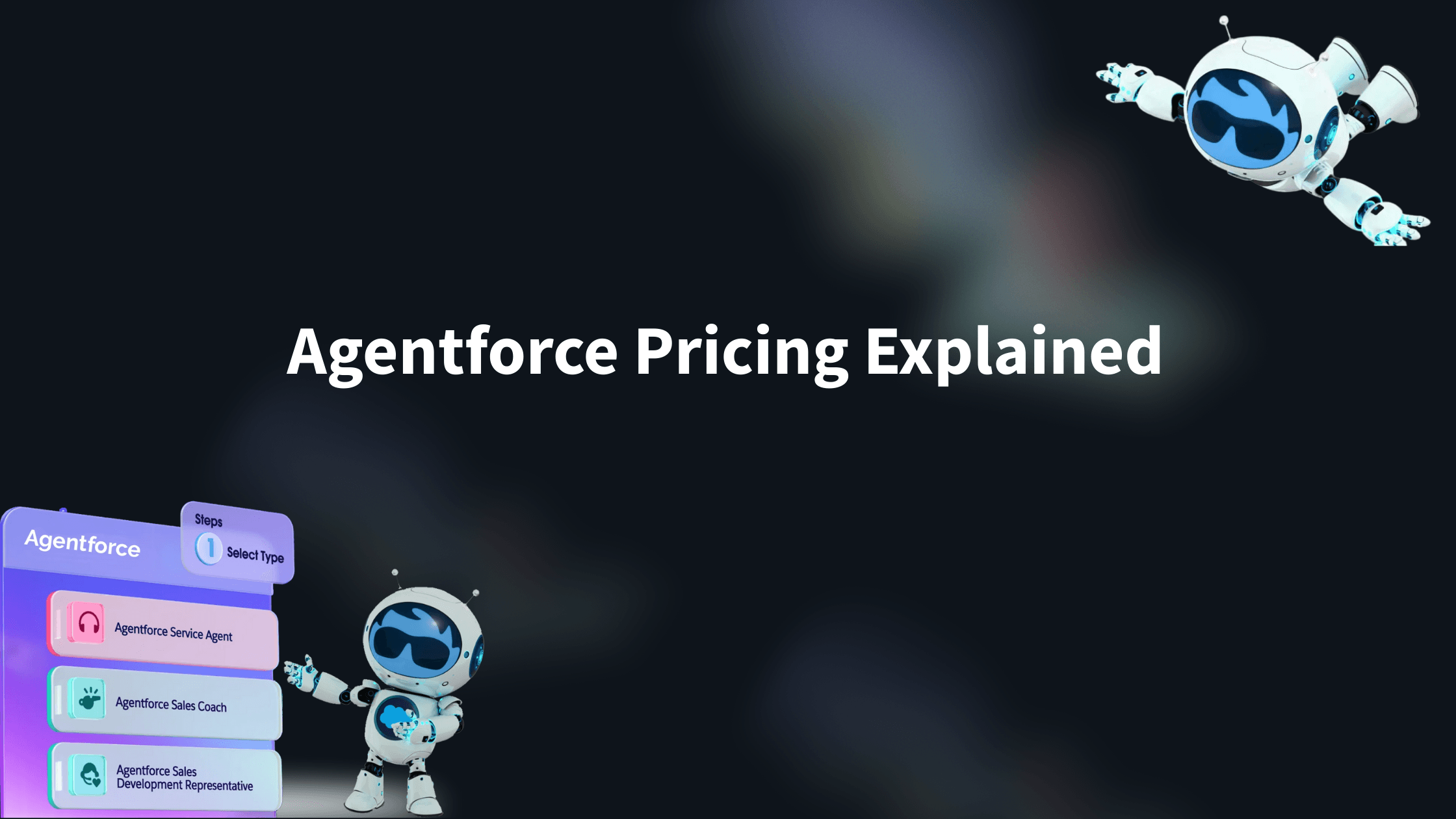
Agentforce Pricing Explained (with real life examples) 

What you’ll find in this blog:

  • An explanation of Agentforce’s consumption-based pricing model, a flexible alternative to traditional upfront license fees.
  • A breakdown of why getting started with Agentforce may be more cost-effective and accessible than you think.
  • Practical examples and use cases to help you estimate consumption and understand the different pricing structures.

Agentforce is evolving rapidly, with new releases and integrations landing almost every month. For consultancies and businesses eager to explore AI within the Salesforce ecosystem, it’s an exciting time. 

So, what does it take to get started with Salesforce AI? The answer may surprise you. 

Unlike many Salesforce products that require significant upfront license commitments, Agentforce uses a consumption-based pricing model. You pay only for what you use, billed in arrears each month. It’s a notable shift from the traditional Salesforce model that has been designed to make adoption more flexible, accessible, and cost-efficient. 

Consumption Options 

Before we delve into the differing consumption models, let’s just take a moment to understand the currency used within them, ‘FlexCredits’ & ‘Per Conversation Credits’.  

FlexCredits 

Salesforce has introduced FlexCredits as the variable currency behind Agentforce. Whenever you or your customers interact with an AI Agent, credits are consumed. 

A single FlexCredit is priced at roughly £0.004. 

Each agent interaction is measured in actions. On average, a typical request will take 3 actions to complete which includes things like retrieving a record, summarizing a pdf document or image, or finding the answer to a customer question on your website. 

Every action consumes 20 FlexCredits, which works out at approximately £0.08 per action

A little confused? Don’t worry. Basically, you can pretty much ignore the FlexCredit price, we really only care about actions as that’s where it becomes easier to estimate consumption and how it’s really measured. 

We’ll explore in more detail below how actions are counted and why this model gives you a predictable, transparent way to manage costs. 

FlexCredits are perfect for variable interaction with the AI agent that results in 7 or fewer actions when using list price. 

Per Conversation Credits 

Alongside FlexCredits, Salesforce also offers a per-conversation pricing model. You pay a flat rate of £1.60 per conversation

This suits those who expect an internal task or customer interacting with your AI Agent to exceed 7 actions regularly. This gives you cost predictability without having to worry about actions. 

Now that we have looked at the FlexCredit and Per Conversation pricing structures, let’s explore the options for applying them in your contract. 

Consumption Models 

There are three models available. 

Consumption Model Pro’s Con’s 
Pay as you go – Ideal for testing the waters with minimal risk 
– Full control over spend 
– No upfront commitment 
– Full access to all functionality 
– Paid in arrears based only on what you use 
– Fixed pricing at £0.08 per action or £1.60 per conversation, no volume discounts 
– Costs can add up quickly at scale 
Pre-commit – Ability to negotiate lower per-action or per-conversation rates 
– No upfront payment (billed monthly against an agreed baseline) 
– Predictable budgeting (Agents can be turned off when limits are met) 
– Tied into a contract/bill for the agreed term 
– Risk of overage charges if usage exceeds the baseline  
Pre-purchase – Maximum cost savings due to upfront commitment – Full payment required upfront for the contract term 
– Still subject to overage if usage goes beyond what was purchased  

While the eye might immediately jump to the pay as you go model as the obvious choice, knowing your use case can give you good reason to consider the other models too: 

  • High-value transactions: If you operate in a sector like insurance or mortgages, where applications are multi-step, you often know your monthly volumes and can easily define the number of actions needed. A pre-commit or purchase model can significantly reduce costs in this type of use case. 
  • High-volume support: If you’re running a service desk or support queue, using an AI Agent to triage cases may require only a handful of actions per interaction, but at high volume. In that scenario, securing a lower per-action rate with FlexCredits could deliver meaningful savings. 

Either way, if you’re just starting the journey, Pay-as-you-go remains the safest entry point. It lets you experiment without commitment, and once your consumption patterns are clearer and value is defined, you can confidently shift to Pre-commit or Pre-purchase to lock in better rates. 

How do I measure my consumption and stop it getting out of control? 

When you hear pay-as-you-go, it’s easy to think of a mobile phone plan where costs can spiral if you’re not careful. Thankfully, Salesforce have thought of this and provide the Digital Wallet. 

When you activate Agentforce you get a digital wallet that allows you to monitor consumption in both your live and testing environments. Usage is refreshed regularly, so you always know where you stand. You can view and filter consumption by week, month, or year, giving you a clear picture of your upcoming bill and visibility into any potential overages across all models. 

What’s more, agents can be individually activated or deactivated at any time, giving you additional control if you need to pause usage or manage spend against a budget. 

How do I estimate my consumption and what will I pay? (Examples: Use Case & ROI) 

To help you understand how you might estimate consumption we will use two illustrative use cases. 

For reference, we’ve defined that an action costs approximately £0.08 and a conversation costs £1.60. Let’s now dive into the two use cases to show how actions are consumed and help you better understand potential consumption and ROI. 

Use Case 1: Employee Onboarding Help (Internal) – Illustrative 

Our use case involves an AI Agent answering employee questions about company policy, holiday allowance, company HR procedures. The AI Agent has access to the policy handbook, leave entitlements and HR records stored in Salesforce. 

Employee: How many days annual leave do I have this year? 

AI Agent: Your records show 25 days of leave entitlement, but you have 12 remaining. Would you like to see the leave days you have taken this year? 

  • The agent queries the HR record in context of the employee and responds accurately. 
  • Cost: 1 action = £0.08 + 1 satisfied employee. 

The employee then asks: 

Employee: Can I carry over unused holidays into next year? 

AI Agent: The company policy allows you to take 5 unused days into the next year, (Section 5.2). Would you like me guide you through the process or create the carry-over request for you? 

  • Here, the agent reads the policy PDF and displays the response, even offering to initiate the carry-over request. 
  • Cost: 1 action = £0.08, cumulative cost = £0.16 + 1 happier employee. 

If we estimate 100 employees, each asking an average of 5 HR-related questions per month over a year: 

  • Total actions = 100 × 5 × 12 = 6,000 actions 
  • Estimated cost: 6,000 × £0.08 = £480 per year (~£40 per month) 

This demonstrates how an AI Agent can provide a cost-effective HR assistant

This use case is a great example of why to use FlexCredits over Per Conversation credits.  

  • FlexCredits are ideal because employee queries vary month-to-month. The per-action model allows you to pay only for what is consumed, rather than a fixed conversation price. 
  • If employee usage grows, you can monitor consumption directly in Salesforce and adjust your FlexCredit purchases before costs escalate

Use Case 2: Website Concierge (Chatbot Replacement) – illustrative 

This use case explores an AI Agent helping potential customers with apartment recommendations, bookings, and additional activities. The agent has access to website content, available listings, and local events, enabling it to provide personalized guidance. 

The prospective customer asks: 

Customer: I am looking for an apartment that sleeps 4 with a pool in the south of France for June. What do you have available? 

AI Agent: We have several listings available. Could you tell me a bit more about the specific area you would like in the south of France, length of stay and any activities you would like to do whilst on your trip? This will help me find you the best fit for you. 

  • The agent validates that listings exist matching the location, capacity, and pool requirements. 
  • It can check availability for additional activities and guide the conversation in a natural, exploratory tone. 

Because interactions like this are more complex and variable, a fixed per-conversation charge is often more suitable than FlexCredits. For instance: 

  • A single conversation could include multiple passes to refine recommendations, conduct multiple availability checks and validate booking steps. When added together this can consume a lot of actions. 
  • Using the £1.60 per conversation model provides predictable costs while delivering an uncapped customer experience. 

Capturing a qualified lead or completing a booking for £1.60 represents excellent value, particularly when compared with traditional manual handling by staff. If you use a chatbot on your website, you will no doubt, be familiar with the limitations and robotic tone it offers. Agentforce will brighten the interactions adding that human feel. 

In Summary 

From our experience, simply putting an AI Agent into the business to “see how it goes” rarely succeeds. Agentforce works slightly differently to other common LLM’s. It comes locked down by design and for good reason. You hold the key to its training. Sure, it does basic things out-of-the-box but still lacks the business context and use cases that bring the real magic to your business. 

To maximise value, you need to identify where the efficiency gains or cost savings lie. Then deploy Agents to augment the business specific tasks, employee support and customer acquisition processes you have been building over the years. 

We hope this article has gone some way to help you understand two key pricing options (FlexCredits & Per Conversation) as well as the Pro’s and Con’s of the different consumption models on offer to begin your AI journey on Salesforce. 

What’s clear is that barrier to entry is extremely low, making it easier than ever to explore how AI agents can give you efficiency gains, cost savings or even a competitive edge in today’s fast moving AI landscape. 

Salesforce is a platform we at Xenogenix have trusted for over a decade, and the introduction of Agentforce gives us a solution that we can confidently recommend. 

We’re here to advise and support as always. Whether you want to explore use cases, understand consumption models, or simply chat about adopting Agentforce, we can help you navigate the process in a measured, informed way. 

References:

https://www.salesforce.com/news/stories/new-agentforce-payment-options/

https://www.salesforce.com/agentforce/pricing/

Disclaimer:

Agentforce pricing is subject to change at any time, all pricing and costings listed above are correct as of 18/09/2025.

Why Your Salesforce Org Goes Stale Without Ongoing Care

What You’ll Find in This Blog 

  • Protecting Your Investment: This blog explains how a Salesforce org can become outdated and inefficient without continuous support, directly impacting your return on investment. 
  • Signs of a Stale System: Learn to identify common issues such as low user adoption, messy data, and unutilised features that indicate your system is going stale. 
  • The Proactive Solution: Discover how a managed services model provides continuous, proactive care to prevent issues and ensure your system is always up-to-date and effective. 

A Salesforce implementation is a significant investment, a powerful leap towards operational efficiency and growth. But what happens after go-live? The reality is that your Salesforce org is a living, breathing system that needs constant attention. Without it, your investment can quickly go stale, losing its value and becoming a source of frustration rather than a driver of success. 

Signs Your System is Going Stale 

Your Salesforce org isn’t a “set and forget” asset. Over time, a lack of continuous improvement leads to clear signs of decline: 

  • Low User Adoption: If your team is returning to spreadsheets or using workarounds, it’s a sign they’re not getting the support they need. A stale system is one that no longer fits the team’s evolving needs, leading to disengagement. 
  • Messy and Incomplete Data: Without regular data audits and cleanup, your org’s data quality will inevitably degrade. This leads to inaccurate reports, poor decisions, and a loss of trust in the system. 
  • Missed Features and Updates: Salesforce releases new features three times a year. Without a team to review, test, and implement these, your org will be left behind, unable to take advantage of new innovations that could boost productivity. 

The Dangers of a Stale System 

The consequences of a stale Salesforce org are far-reaching. They include: 

  • Reduced ROI: The business value you fought so hard to secure during go-live is slowly eroded. 
  • Increased Risk: Outdated security settings and unmanaged processes can leave you vulnerable to data breaches or compliance issues. 
  • Wasted Labour: Your team spends valuable time on manual, repetitive tasks that could have been automated months ago. 

The Cure: Proactive Managed Services 

A managed services partner acts as a safe pair of hands, providing the continuous care your Salesforce org needs. We focus on proactive support that prevents problems before they start. 

  • Continuous Improvement: We review your system regularly, identifying opportunities for automation and efficiency gains. 
  • Expert Release Management: Our team reviews every Salesforce update, determining which new features can be leveraged to benefit your business and managing the implementation process. 
  • Ongoing Enablement: We help your team adopt new features and best practices, ensuring your system stays fresh, relevant, and well-utilised. 

Don’t let your system go stale. Protect your investment and ensure your Salesforce org remains a powerful engine for your business for years to come. 

Frequently Asked Salesforce Questions

What is a tailored Salesforce implementation?

A tailored Salesforce implementation is designed around the way your organisation operates, rather than relying on a generic template. Every business has different processes, reporting requirements, users and long-term objectives, so your Salesforce environment should reflect those differences. At Xenogenix, we begin every implementation by understanding your business before configuring the platform. This helps improve user adoption, simplify reporting and create a Salesforce environment that continues to support your organisation as it grows.


How long does a Salesforce implementation take?

There is no one-size-fits-all answer. The timescale depends on factors such as the size of your organisation, the complexity of your processes, data migration requirements, integrations and the level of customisation needed. A structured discovery phase helps establish realistic timelines, identify priorities and ensure your implementation is delivered efficiently without compromising long-term quality.


What should be included in a Salesforce implementation?

A successful Salesforce implementation is about much more than configuration. It should include business discovery, solution design, Salesforce configuration, data migration, system integrations, testing, user training and post-go-live support. Taking a structured approach helps ensure Salesforce is aligned to your business processes and continues to deliver value long after implementation is complete.


Why choose a Salesforce consultancy rather than implementing Salesforce yourself?

Salesforce is an incredibly powerful platform, but implementing it successfully requires more than technical knowledge. An experienced Salesforce consultancy will help you understand how the platform should support your business, avoid unnecessary complexity and create a solution that can grow with your organisation. Working with the right partner also reduces implementation risk and improves long-term user adoption.


Why does Salesforce become harder to manage over time?

As businesses grow, processes change, reporting requirements evolve and new systems are introduced. Without regular optimisation, Salesforce environments naturally become more complex, making them harder to manage and reducing user adoption. Reviewing your Salesforce platform regularly helps ensure it continues to reflect the way your business operates and supports future growth.


How often should Salesforce be reviewed?

We generally recommend carrying out a Salesforce review at least once a year, or whenever there is a significant change within your business. This might include introducing new products or services, restructuring teams, implementing new systems or preparing for automation and AI initiatives. Regular reviews help identify opportunities to simplify processes and improve platform performance.


What are Salesforce Managed Services?

Salesforce Managed Services provide ongoing support, optimisation and strategic guidance after implementation. Rather than only reacting to issues, managed services help organisations continuously improve Salesforce, maintain data quality, increase user adoption and ensure the platform evolves alongside changing business requirements.


Can Salesforce integrate with our existing business systems?

Yes. Salesforce can integrate with a wide range of business applications including finance systems, ERP platforms, marketing automation tools, websites and customer service platforms. Well-designed integrations improve data visibility, reduce manual administration and help create a single, reliable source of information across your organisation.


How difficult is Salesforce data migration?

The complexity of a Salesforce data migration depends on the quality of your existing data, the number of systems involved and how information has been managed historically. Careful planning, data cleansing and validation are essential to ensure a successful migration and provide a strong foundation for reporting, automation and future platform growth.


AI & Future Readiness FAQs

Is my Salesforce environment ready for AI?

Successful AI initiatives rely on accurate data, consistent processes and high levels of user adoption. If your Salesforce environment contains duplicate records, manual workarounds or inconsistent reporting, it is often worth addressing these areas before introducing AI. A well-optimised Salesforce platform provides a much stronger foundation for future automation and AI capabilities.


Should I optimise Salesforce before introducing AI?

In most cases, yes. Optimising Salesforce first helps ensure your data is reliable, your processes are consistent and your users are getting the most from the platform. AI works best when it is built on strong foundations. Reviewing your Salesforce environment before introducing AI can help maximise the value of both your existing platform and future technology investments.


What is Certinia?

Certinia is a professional services automation (PSA) and ERP solution built natively on the Salesforce platform. It helps organisations manage projects, resources, financials and service delivery from a single platform, providing greater visibility across the entire customer lifecycle.


Can Salesforce and Certinia be implemented together?

Yes. Because Certinia is built on Salesforce, many organisations choose to implement or optimise both platforms together. This creates a connected solution that supports CRM, project delivery, resource management and financial operations without the need for complex third-party integrations.


Does Xenogenix provide Certinia implementation and support?

Yes. Alongside our Salesforce implementation, optimisation and managed services, Xenogenix also provides Certinia implementation, optimisation, upgrades and ongoing support. Our consultants help organisations get the most value from both platforms by aligning technology to real business processes.

Why choose Xenogenix as your Salesforce consultancy?

Choosing a Salesforce consultancy is about finding a partner that understands both the technology and the way your business operates. Since 2007, Xenogenix has delivered more than 400 successful Salesforce and Certinia projects, helping organisations implement, optimise and continuously improve their platforms. From tailored Salesforce implementations and data migration through to integrations, managed services and long-term optimisation, our focus is on creating practical solutions that deliver measurable business value.our CRM keeps evolving with your business.

Find Out More

If you still have questions about if a CRM is right for your business fill out the form below and one of the team will be in touch shortly.

Xenogenix Logo

Is Your Salesforce Ready for the Autumn Rush? Why a Summer Health Check is Crucial.

What You’ll Find in This Blog

  • Proactive CRM Maintenance: Discover why the quieter summer period is the ideal time to perform a comprehensive Salesforce health check to prepare for the busy months ahead.
  • Identifying Org Health: Learn to spot common red flags, such as slow performance, poor data quality, and low user adoption, which indicate your Salesforce instance needs optimisation.
  • Two Health Check Options: The blog introduces both a free interactive tool for instant insights and a consultant-led health check for a deeper, more tailored analysis.
  • Key Benefits: Understand how a health check improves efficiency, enhances data quality, strengthens security, and future-proofs your Salesforce implementation.

Introduction: The Quiet Before the Storm

As the summer sun shines, your business might be experiencing a natural slowdown. Meetings are a little less frantic, inboxes are slightly quieter, and the usual autumn rush feels a long way off. But instead of seeing this as downtime, smart leaders are viewing it as an opportunity.

The summer lull is the perfect time to get your house in order. And when it comes to your digital operations, there’s no better place to start than with your Salesforce implementation. Is your org truly ready for the increase in activity that comes with the new financial year? Or is it harbouring hidden issues that will slow you down when it matters most?

What is a Salesforce Health Check?

A Salesforce Health Check is a comprehensive review of your org to identify areas of inefficiency, potential risks, and opportunities for optimisation. It’s like a deep clean and tune-up for your most valuable business tool. A health check with Xenogenix delves into key areas, including:

  • Performance & Efficiency: Are your reports running slowly? Are users spending too much time on manual tasks that could be automated?
  • Data Quality: Is your data messy, duplicated, or incomplete? Poor data leads to poor decisions.
  • Security & Governance: Are your user permissions, sharing rules, and security settings up to standard and compliant?
  • Future-proofing: Is your current setup scalable? Are you taking advantage of the latest features and releases to stay ahead of the curve?

Common Red Flags Your Org Needs a Health Check

Even if you’re not an admin, you can spot the tell-tale signs that your Salesforce implementation needs a tune-up:

  • The “We’ve always done it this way” Mentality: Your team is using workarounds or manual spreadsheets instead of the system.
  • Low User Adoption: People are complaining about the system or simply not using it as intended.
  • Sloppy Data: You see duplicate records, incomplete fields, or inconsistent information.
  • Slow Reports & Dashboards: Users are waiting too long for pages to load.
  • Security Worries: You have concerns about who has access to what data.

The Summer Advantage: Why Now is the Best Time

Carrying out a full health check can be difficult during peak periods. The summer provides a unique window to:

  • Avoid Disruptions: With fewer meetings and lighter project loads, your team can more easily provide feedback without disrupting critical work.
  • Implement Changes: Found some issues? You have time to properly implement and test solutions, train users, and embed new processes before the autumn rush.
  • Strategic Planning: Use the findings to build a clear roadmap for the second half of the year, ensuring your Salesforce strategy is aligned with your business goals.

Ready to See How Healthy Your Org Is?

At Xenogenix, we believe an optimised Salesforce org is the foundation of a successful business. We have two ways you can get started:

  1. Book a Free Consultant-Led Health Check: For a deeper, more tailored analysis, speak with one of our certified consultants. We’ll provide a personalised review and actionable recommendations to help you prepare for the busy months ahead.

Don’t wait for autumn to expose your vulnerabilities. Make the most of the summer and ensure your Salesforce is in peak condition.

Book Your Free Healthcheck

Fill out the form below and one of our consultants will be in touch to book your healthcheck,

Xenogenix Logo

Is Your Salesforce Org Fit for Purpose? Find Out with Our Free Salesforce Health Check Tool

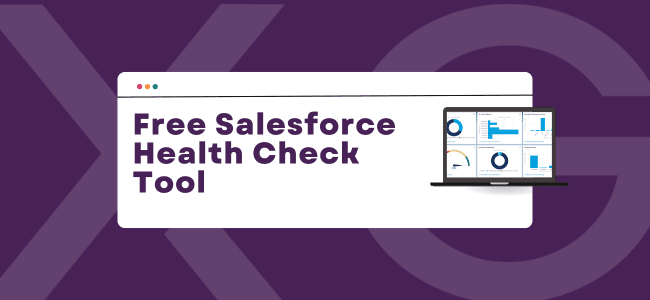
Free Salesforce Health Check Tool

If you’re using Salesforce to power your sales, service, or marketing teams, you already know it’s a powerful platform. But when was the last time you checked how well your Salesforce org is actually performing or ran a Salesforce health check?

Many businesses invest heavily in Salesforce but over time encounter issues that slow down users, reduce data quality, or prevent teams from getting the most out of the system.

That’s why we created the Xenogenix Salesforce Health Check Tool – a fast, free way to assess how well your org is working and where improvements can be made. you’re using Salesforce to power your sales, service, or marketing teams, you already know it’s a powerful platform. But when was the last time you checked how well your Salesforce org is actually performing?

Why Your Salesforce Org Might Need a Health Check

Just like your car needs an MOT, your Salesforce org needs regular check-ups to stay healthy and efficient.

Here are some common warning signs that your org could benefit from a review:

  • Sluggish performance or slow load times
  • Duplicate or poor-quality data
  • Users not logging in or engaging with the system
  • Outdated or unused automations
  • Permission settings that are overly complex or risky

These problems don’t just affect your IT team – they impact productivity, decision-making, and customer experience.

What the Xenogenix Health Check Covers

Our tool evaluates your org in key areas including:

  • Data Quality & Governance – Is your data clean, consistent and reliable?
  • User Experience & Adoption – Are users actively using Salesforce, or avoiding it?
  • Security & Access Control – Are your permission sets and roles appropriate and secure?
  • Automations & System Performance – Are workflows and processes working efficiently?
  • Integrations & Scalability – Is your org ready for growth and new capabilities?

It’s quick (under 5 minutes), doesn’t require system access, and you’ll get your results instantly.

Click here to take the Health Check now

What Happens After the Health Check?

Once you’ve completed the questionnaire, you’ll receive:

  • A personalised score showing how your org performs across different areas
  • A summary of potential issues and improvement opportunities
  • A follow-up email with a link to your results and optional next steps

If you’d like expert advice on how to fix the issues, the Xenogenix team is here to help.

Why Trust Xenogenix?

We’re an established Salesforce consulting partner with over 20 years’ experience helping UK businesses transform their operations with Salesforce. Whether you’re using Sales Cloud, Service Cloud, CPQ, Account Engagement (Pardot), or other Salesforce products, we can help optimise your setup and support your team.

We’ve seen it all – over-customised orgs, forgotten automations, clunky user journeys – and we know how to fix them.

Take the First Step Towards a Smarter Salesforce Org

Whether you’re a Salesforce admin, decision-maker, or power user, understanding your org’s current health is the first step toward real improvement.

Try our Free Salesforce Health Check Tool today

No obligations. Just clear insights from a trusted Salesforce partner.

Why “Test, Test, Test” Should Be Your Pardot Mantra

When working in Marketing Cloud Account Engagement (Pardot), it’s easy to assume everything will run smoothly once your logic is set. After all, the system will follow the rules you give it — but that’s exactly why testing and previewing should be a non-negotiable step in your process.

The System Isn’t Wrong — But People Can Be

Whether you’re creating automation rules, dynamic lists, or segmentation rules, Pardot will faithfully apply the logic you’ve configured. The problem? Even the most experienced marketers can slip up with complex criteria, mismatched field values, or overlooked filters.

That’s why the best advice we can give is:
🔁 Test, test, and test again.

Always Use the Preview Function

Before activating anything, take advantage of Pardot’s preview feature to see exactly which prospects will be affected. It’s your safety net and a quick way to sanity-check your setup. If you see names that shouldn’t be there (or don’t see ones that should), that’s your red flag to go back and review the logic.

Don’t Forget Engagement Studio

It’s easy to overlook, but Engagement Studio needs just as much testing. The flow might look right at a glance, but if your wait times are off or conditions aren’t quite right, you could end up sending all your emails on Day 1 — or never sending them at all.

✅ Use the Test function in Engagement Studio to run different prospect scenarios. This will help you make sure your wait times, rules, and branching logic work exactly as you expect. It’s the best way to catch errors before your audience does.

Avoid Automation Regret

Turning on a misconfigured automation can lead to emails being sent to the wrong list, prospects being incorrectly tagged or nurtured, or worse — data being overwritten. Fixing these issues later takes far longer than taking a few extra minutes upfront to validate your setup.

Final Thought

Pardot is powerful, but it’s only as accurate as the rules you give it. So before you hit “Activate,” remember:

Test. Test. Test.

Reclaim Your Salesforce Storage: A Guide to Deleting High-Volume Certinia PSA Records 

What you will find in this blog:

  • Certinia PSA Storage Solutions: Discover why high-volume Certinia (formerly FinancialForce) PSA data impacts Salesforce storage and how to manage it without built-in archiving.
  • Safe Data Deletion & Backup: Learn critical precautions like sandbox testing and archiving, plus best practices for safely deleting historical records.
  • Key Records to Target: Identify specific high-volume Certinia PSA record types (Timecard Splits, Expenses, etc.) and guidance on how to address them.

Introduction: Is your Salesforce storage creeping up, causing concerns about performance or additional costs? For Certinia (formerly FinancialForce) PSA users, managing data volume is crucial, especially since the platform doesn’t have a built-in archiving feature. Over time, high-volume transactional records can consume significant storage. The good news? You can proactively manage this. 

At Xenogenix, as experienced Salesforce and Certinia partners, we understand the intricacies of optimising your cloud solutions. This guide will walk you through how to judiciously delete high-volume Certinia PSA records to reduce your total storage, ensuring your Salesforce environment remains efficient and cost-effective. 

Why Delete PSA Records? Certinia PSA generates a large volume of transactional data, including timecard splits, expenses, milestones, and budget details. While essential for operations, historical records can accumulate, leading to: 

  • Increased storage consumption, potentially requiring you to purchase more data. 
  • Slightly slower report generation or system performance if queries have to sift through massive datasets. 

Key Considerations Before Deleting: Certinia advises extreme caution when deleting records, especially from a production environment. Our primary recommendations are: 

  1. Always Test in Sandbox First: Before any deletion in your live org, replicate the process in a sandbox environment to understand the exact impact and confirm expected outcomes. 
  1. Empty Your Recycle Bin (if needed): New deletions can overwrite existing items in your Recycle Bin. Ensure it’s clear of anything you wish to retain before proceeding. 
  1. Archive Data: Deleting means permanent removal from your live Salesforce org. For compliance or future reference, always export high-volume records as a .csv file and archive them securely before deletion. 

Which High-Volume PSA Records Can You Delete? 

Here’s a breakdown of common high-volume records and considerations for their deletion: 

  • Transactional Records (Timecard Splits, Expenses, Milestones, Budgets, Miscellaneous Adjustments): 
  • These are often the biggest culprits for storage. 
  • Identify records older than a specific cutoff date (e.g., more than 5 years old). 
  • Export these records for your archives. 
  • Use tools like Salesforce Data Loader to delete them. You can use a script for mass deletion based on your criteria. 
  • Utilisation Detail Records: 
  • These records capture granular details about resource utilisation
  • They can be exported and deleted for periods older than your required reporting window. 
  • Note: These records can often be regenerated if needed, but consider the effort involved. 
  • Backlog Detail Records: 
  • These relate to your project backlog calculations. 
  • You can delete historical backlog detail records. 
  • Consider using the “Reuse Detail Objects” in the Backlog Calculation job to prevent excessive record creation going forward. 
  • If using Data Loader, delete Backlog Detail records before their associated Backlog Calculation records. 
  • Est vs Actuals Records (EVAs): 
  • Similar to other record types, users are advised to export and delete EVAs older than a specified date, with the understanding that they can be regenerated. A script example is also provided. 
  • Time Date Records: 
  • The article mentions that deleting these child records of timecards can affect timecards and reports if they rely on this object. 

Need a Helping Hand with Storage Management? Navigating high-volume data deletion requires careful planning and execution to avoid disrupting your operations or losing critical information. At Xenogenix, we specialise in Certinia and Salesforce optimisation. Our experts can: 

  • Assess your org’s current storage usage and identify key areas for reduction. 
  • Develop a tailored data retention and deletion strategy. 
  • Safely implement deletion processes, ensuring data integrity and compliance. 
  • Provide ongoing guidance to keep your Salesforce environment lean and efficient. 

Don’t let data overload slow you down or inflate your costs. Contact Xenogenix today for a consultation on optimising your Salesforce and Certinia storage! 

Unleashing New Approval Power with Salesforce Spring ’25 Flows: A Xenogenix Perspective  

The highly anticipated Salesforce Spring ’25 release is here, bringing with it a game-changer for how organisations manage approvals. Gone are the days of rigid approval workflows that only allowed specific naming of approvers. Salesforce’s new Flow types are designed to handle the more varied and real world scenarios we see within our businesses.  

What’s New and How Does it Benefit You?  

Let’s dive into the core enhancements that will empower your operations:  

  1. Launch Approvals that make sense to approvers and requestors: Historically, Salesforce offered the ‘Submit for Approval’ button out of the box and as we know this was not directly customizable to a business need. Much of the ability to customize this process was a dark art. With the new approval functionality, we can leverage the power of Flow, custom buttons and lightning page layouts to deliver a truly tailored and optimized experience. Ever wanted to ask the user for additional information that actually supports your ability to approve during submission? Ever wanted to validate the approver was in the building for a quick turnaround, or choose an alternative approver based on real time data?  It’s all possible with the new approval tool.  
  1. Trigger approvals at the right time and prompt when needed: Record triggered approvals appear when they should. You won’t need to rely on users to hit submit. Approvers will be notified at the right time based on a stage change or a data capture moment. Don’t worry, you can still require a user prompt as mentioned above, but if/when needed you can let Salesforce do the heavy lifting.   
  1. Sophisticated Stage and Step Management: The real power of these new Flow types lies in their ability to define clear stages and steps. This provides unprecedented control over your approval hierarchy:  
  • Multi-step Processes: Design complex approval paths with multiple steps within each stage, and trigger those stages based on the system data you choose. With the approvals now being Flow based, we have access to a much wider set of data to act upon 
  • Sequential or Parallel Execution: Choose whether steps run one after another or simultaneously, optimising for speed or thoroughness. Those of you familiar with CPQ Advanced Approvals will know this was a big selling point of the solution. Now it’s standard! 
  • Embed Existing Flows to support your approvals: You can even embed other Screen Flows (for user interaction) or Autolaunched Flows (for background automation) within these stages, creating truly comprehensive workflows that not only provide guardrails but support complex follow on action 
  • Customisable Entry Criteria: Set precise conditions for when an approval step should begin, ensuring the right people are involved at the right time.  

A Xenogenix Advantage  

At Xenogenix, we are incredibly excited about these new Flow Approval Orchestration capabilities. They provide us with even more robust tools to design, implement, and refine custom solutions tailored to your unique business requirements. Whether you’re looking to simplify expense approvals, automate contract sign-offs, or streamline complex project initiations, these new features offer the flexibility and power to achieve your goals.  

Ready to Optimise Your Approvals?  

The Salesforce Spring ’25 release brings a new era of approval management. Get in touch with us today to discuss how these powerful new features can be leveraged to further optimise your Salesforce environment, reduce bottlenecks, and drive greater operational efficiency. Let’s unlock the full potential of your Salesforce investment together!  

Prepare Your Org: Understanding Salesforce ICU Locale Format Changes in Summer ’25

In Summary:

  • Salesforce ICU Locale Rollout: Summer ’25 brings a final push for International Components for Unicode (ICU) locale formats, standardizing date, time, currency, and address displays for global consistency.
  • Prevent Inconsistencies & Errors: Understand the potential for ParseException errors, UI discrepancies, and Apex failures if older components aren’t updated to match ICU formats.
  • Strategic Migration & Expert Support: While no immediate rush, a thorough review of your org’s custom code and integrations is crucial for a smooth transition, with Xenogenix offering expert guidance and testing.

The Salesforce Summer ’25 release is on the horizon, and with it comes a subtle yet potentially impactful update: the continued rollout of ICU (International Components for Unicode) locale formats. Introduced in Winter ’20, these formats are now the default for newer orgs, and Salesforce is making a final push to encourage adoption across the platform.

What are ICU Locale Formats?

ICU is a widely adopted set of libraries providing Unicode support, software internationalisation, and software localisation. In Salesforce, enabling ICU locale formats changes the way dates, times, currencies, and addresses are displayed, aiming for greater international consistency.

Is Your Org Already Using ICU?

The easiest way to check is to navigate to Setup > Company Information and look at the Locale Formats field. If your org was created in Winter ’20 or later, it’s likely already enabled.

The Summer ’25 Push: What You Need to Know

Salesforce is scheduled to attempt enabling ICU formats one last time during the Summer ’25 release for orgs that haven’t yet made the switch. If you want to defer this change, you need to act now:

  1. Go to Setup > User Interface.
  2. Deselect the “Enable ICU locale formats as part of the scheduled rollout” checkbox.

If this final attempt by Salesforce fails, you’ll need to manually enable the feature when you’re ready.

Manual Enablement: Proceed with Caution

You can manually enable ICU formats via Setup > Release Updates. However, even if your components’ API versions aren’t updated to 45.0 or higher, you can still enable it. This is where potential inconsistencies can arise.

  • Inconsistent User Experience: Custom UI components or older Visualforce pages (API version 44.0 or earlier) will continue to use the older JDK (Java Development Kit) locale formats, while standard UI components will display the new ICU formats. This can lead to a confusing and inconsistent experience for your users.

Impact on Managed Packages:

If you rely on managed packages with Apex Classes, Apex Triggers, or Visualforce Pages below version 45.0, only the package owners can update these components. Ensure you check with your package providers for compatibility with ICU formats and install updated versions if necessary.

Technical Deep Dive: Potential Pitfalls

Updating a component’s API version (and having ICU enabled) will make it use ICU. However, neglecting to update others can cause issues:

  • Visualforce Page Errors: Users making inline edits on older Visualforce pages might encounter “ParseException: Invalid Date and Time” errors due to differing date/time format expectations (e.g., dd-mm-yyyy vs. mm-dd-yyyy).
  • UI Format Discrepancies: Users will see different formats for dates, times, currencies, and addresses across different UI elements depending on their API version.
  • Apex Process Failures: Apex code that relies on specific date string formats from the JDK might fail when encountering dates in the new ICU format. This is particularly relevant for integrations where date formats are passed as strings from external systems.

Long-Term Implications:

While no immediate issues are anticipated for orgs that don’t enable ICU after Summer ’25, Salesforce is analysing the long-term implications of remaining on JDK formats. We currently don’t know what these implications might be.

Should You Enable ICU? Our Recommendation

There’s no immediate rush to enable ICU locale formats after the Summer ’25 release if you haven’t already. However, if you choose to do so, a thorough review of your codebase is crucial to identify and address any potential compatibility issues, especially with custom components and integrations.

Next Steps with Xenogenix:

Navigating this transition requires careful planning and execution. Xenogenix can help:

  • Assess your org’s readiness for ICU.
  • Identify potential compatibility issues in your Apex code, Visualforce pages, and integrations.
  • Develop a comprehensive testing and migration strategy.
  • Provide expert guidance and support throughout the enablement process.

Don’t let the Summer ’25 ICU update cause unexpected disruptions. Contact Xenogenix today for a consultation to ensure a smooth and successful transition.