Author: sammathie

Dreamforce 2025: The Rise of the Agentic Enterprise 🤖

What You’ll find in this blog:

  • Strategic Vision: CEO Marc Benioff introduced the “Agentic Enterprise,” emphasizing that AI’s role is to elevate humans, not replace them (“AI doesn’t replace people, it elevates them”).
  • Irreplaceable Value: A core message that human connection remains essential, particularly in complex sales and relationship-driven roles, contrasting with AI adoption in automated service.
  • Philanthropic Impact: The annual Dreamfest continued its mission, contributing to a total of $120M+ raised for UCSF Benioff Children’s Hospitals.
  • Cultural Leadership: The speaker lineup included AI pioneer Sundar Pichai, actress/advocate Ellen Pompeo, and Salesforce Brand Partner Matthew McConaughey, merging technology and cultural insight.
  • Entertainment Close: The conference was capped by the Dreamfest concert featuring headliners Metallica and Benson Boone.

Dreamforce 2025 was dominated by one central theme: the Agentic Enterprise – Salesforce’s vision of a future where AI agents work seamlessly alongside human employees across all aspects of a business. The primary focus was on moving Artificial Intelligence from pilot projects to scaled, trusted enterprise operations.


Key Product Launches and Updates

The biggest announcements all revolved around the new AI-centric platform and its core components:

  • Agentforce 360: This was the headline launch, positioning itself as the foundational platform for building, deploying, and managing enterprise AI agents. It serves as a unified layer connecting Sales, Service, Marketing, Commerce, Slack, and Tableau, ensuring agents use the same models, context, and governance framework across all apps.
    • Agent Script: This new feature introduces hybrid reasoning, allowing developers to inject IF-THEN business logic directly into an agent’s reasoning. This is a critical step toward making AI agents more reliable and predictable for mission-critical tasks, addressing enterprise fears of losing control.
  • Slack Becomes the “Agentic OS”: Slack is being positioned as the main workspace where both humans and AI agents collaborate. It’s now the front-end for Agentforce, enabling employees to search, collaborate, and act using CRM insights and agent functionality without leaving the platform.
  • Data 360 (formerly Data Cloud): Renamed to emphasize its role as the intelligent context layer, Data 360 is the brains for the AI agents. It unifies customer data, is smarter with unstructured data, and pipes reliable, governed context directly into Agentforce apps.
  • Agentforce Vibes: This developer tool enables “vibe-coding,” allowing users to describe the app, flow, or dashboard they want to create using natural language, which the platform then generates and deploys automatically. This drastically simplifies prototyping and development.
  • Agentforce Voice Goes GA: Now Generally Available, this brings polished voice interaction into the platform, allowing agents in the contact centre to maintain context across handoffs between automated and human assistance.
  • Entry into ITSM and HR: Salesforce expanded its Agentforce platform with new industry-focused offers, including an Agentic IT Service platform to unify IT, customer, and HR service on one platform, directly challenging competitors like ServiceNow.
  • Strategic Partnerships and Acquisitions: Salesforce announced expanded partnerships with OpenAI and Anthropic to integrate their models (like ChatGPT and Claude AI) directly into Agentforce 360. They also announced the expected acquisition of Apromore, a provider of process intelligence technology, to enhance business process discovery and optimization capabilities.

Overarching Themes

  1. Context is the New Product: A recurring message was that smart prompts aren’t enough – the success of AI agents relies on clean, connected, and governed data. Salesforce encourages customers to treat data context as a product line with real owners and KPIs.
  2. Humans and Agents Work Together: CEO Marc Benioff emphasized that the future of work is not AI replacing people, but rather agents taking over the repetitive “grind” work, freeing up humans to focus on judgment, strategy, and relationship building.
  3. Governance and Trust are Non-Negotiable: With AI agents being a focus, security and responsible AI took centre stage. Features like zero data retention, audit trails, and bias monitoring are built into the platform to ensure compliance and accountability.

More Than Code: The Community, Culture, and Vision of Dreamforce 2025

Beyond the groundbreaking product rollouts of Agentforce 360 and the new platforms, Dreamforce remains one of the world’s most unique technology conferences, blending enterprise announcements with a powerful focus on community, philanthropy, and cultural inspiration. This year’s event was no exception, reinforcing Salesforce’s core values in a rapidly evolving, AI-driven world.


🤝 The Human Element in the Agentic Era

A recurring and crucial theme throughout the event was the role of the human professional alongside the rise of Agentic AI. CEO Marc Benioff made a clear distinction, insisting that while AI agents can automate routine tasks – demonstrated by the 1.8 million conversations handled by the company’s own internal Agentforce implementation – the irreplaceable value of human connection remains essential, especially in complex roles like sales.

Benioff declared the arrival of the “Agentic Enterprise,” but his vision is one where AI elevates people, not replaces them. This dual message of aggressive AI innovation coupled with a defence of human-driven connection defined much of the keynotes and discussions.


✨ Star Power, Social Impact, and the Dreamfest

Dreamforce 2025 maintained its reputation for attracting a diverse line-up of influential speakers and world-class entertainment, underscoring the company’s commitment to its “1-1-1 model” (1% equity, 1% time, 1% product dedicated to good causes).

  • Visionary Speakers: The stage was packed with thought leaders and cultural icons, including Google/Alphabet CEO Sundar Pichai on the future of AI, actress and producer Ellen Pompeo on advocating for equity, and Academy Award-winning actor and Salesforce Brand Partner Matthew McConaughey on the power of storytelling. AI pioneer Andrew Ng also provided deep technical insights.
  • The Dreamfest for Good: The legendary annual concert served as a massive fundraiser for UCSF Benioff Children’s Hospitals, which has now seen over $120 million raised through this event over the years. This year’s headliners, Metallica and Benson Boone, brought a spectacular close to the three-day conference.

From philosophical discussions on AI’s soul to practical commitment to philanthropy, Dreamforce 2025 served as a powerful reminder that while technology defines the how, a commitment to community and purpose defines the why.

In short, Dreamforce 2025 was a decisive leap into the Agentic Enterprise, transforming Salesforce into a platform where all new innovation is delivered through the lens of autonomous AI agents.

Gourmet Hog Roast Cuts Admin Time by 80% with Agentforce

What you’ll find in this blog:

  • Massive ROI: A case study showing an 80% reduction in admin time and a 40% cut in build costs by automating a critical 5-hour per week task.
  • Agentforce Breakthrough: The technical revelation of how AI Agents were used to instantly enable batch processing (generating all partner statements at once) in Salesforce Flow, eliminating the need for complex custom APEX code.
  • Strategic Shift: A proposal for a new Salesforce automation hierarchy (Agentforce → Flow → Code) that prioritises secure, context-aware AI.
  • Low Running Cost: Confirmation that this high-value automation costs the customer just £1.36 per week in Agentforce credits.

We are delighted to be able to say that Gourmet Hog Roast is now Live with Agentforce.  

This project gave us a front-row seat to what Salesforce’s AI capabilities can really do, and the results surprised even us. 

When we talk about a successful implementation, there are a few outcomes we always aim for: 

  • Time Saved 
  • Cost Saved 
  • Improve the experience of being a Salesforce customer 
  • Deliver scalable solutions that consider the next optimisation, not just the here and now. 

With this rollout, Agentforce delivered across every measure. Reducing task time by 80% and cutting delivery costs by 40% made it clear we’d chosen the right platform, and it’s genuinely enjoyable to work with. 

While we can’t put a percentage on UX (User experience) or Technical Debt Reduction, we can at least say that using the Agentforce UI (User Interface) is quick, flexible and low code which equals easy to scale with less! 

Nick from GHR had this to say:

“Using the Agent force feature has been a game changer as it’s taken away an incredibly important, but otherwise monotonous task. It’s enabled us to focus more on working on the business, rather than in it.”

The Brief 

Like any Salesforce project, big or small, it starts with understanding the customer’s pain points. 

We stay in close contact with the leadership team at Gourmet Hog Roast, and through those conversations we uncovered a repetitive task eating up as much as five hours every week. 

The job itself sounded simple. We needed to generate partner statements so their partners could be paid accurately and on time. 

The data was already in Salesforce and once the statements were manually created and sent, payments still had to be made separately through the bank, after approval. Lots of steps and lots of manual work during the statement preparation stage using excel. 

Our goal was clear! We needed to deliver something automated, scalable, and accurate while giving the Gourmet Hog Roast team those hours back to focus on revenue-driving work instead of admin. 

The game was afoot! 

The Solution 

The answer quickly became clear: we needed a structure in Salesforce to handle partner statements properly. 

That meant creating two custom objects: 

  • One to capture the partner statement itself (the “header”) 
  • Another to capture the statement lines (the “items”) 

Why two objects? Think of it like an invoice or bill, you’ve got a header record with the key details (like date, total, and recipient), and beneath it, a list of individual line items. A partner statement follows the same pattern of one statement, many items. 

From there, we added automation. Each week, the system now generates statements for one or many partners in a single run. It pulls in any relevant payments, allocates them to the right statement lines, and keeps everything in sync. 

We also needed an interface that allowed the team at gourmet to launch the action. They could specify the date range of payments to be picked up and/or the accounts to process (All or One). 

Historically, this kind of requirement would have called for custom code. Salesforce Flows are powerful, but they can be restrictive when it comes to batch processing (for example, generating all partner statements in one go rather than one by one). 

We decided to try Agentforce out as the gourmet team had been hearing about it and had some interest in how it could enhance what they do. 

We were surprised to say the least! 

Why we used Agentforce 

When we kicked off the project, we assumed we would need APEX in the final build. So we started by creating a simple Flow to handle a single partner statement, just to validate the logic before committing to the code build. 

We handed that Flow to the AI Agent to see if it could trigger the automation based on natural language instruction. 

Not only did it run the Flow, it also generated an input screen so we could enter the date range. Then, after we prompted it with “Generate statements for all accounts,” every partner statement appeared in the Statements object, automatically.  

Did we just build the core functionality in half the expected time? The answer was Yes! 

We knew with some tweaking, guardrails and stress testing we could have a solution here. 

We stress tested the agent passing 5x the number of accounts it would ever need to process and it passed with ease. A surprise for sure! Up to this point, our expectation was much more reserved. 

We mentioned a 40% reduction in build cost earlier. The remaining 60% still matters, requirements still need to be scoped, testing still needs to happen, and deployment doesn’t do itself. But when you can deliver solutions faster, reduce technical debt, and improve UX all at once, it changes the equation and in this case the approach. 

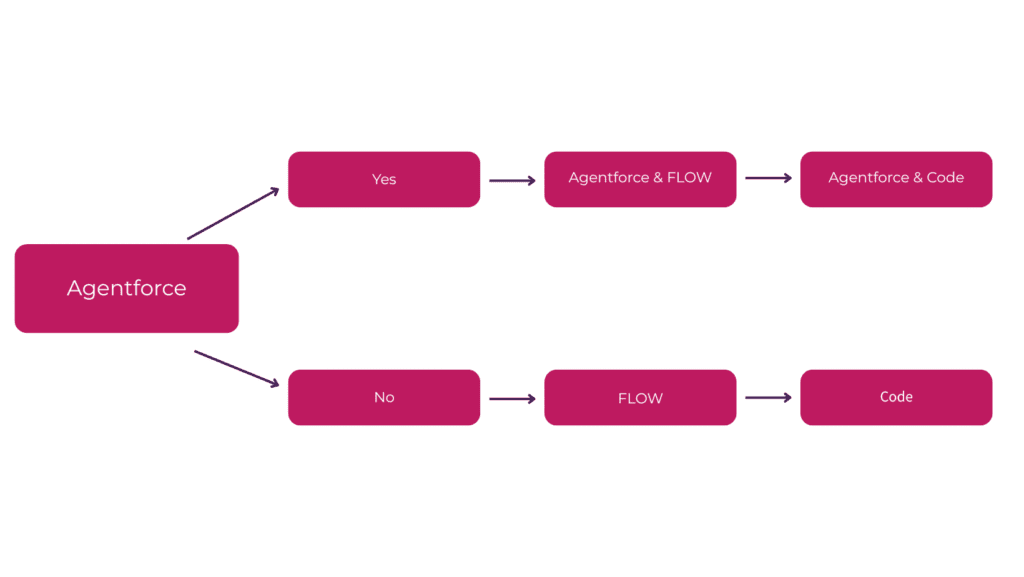
Traditionally, Salesforce admins have followed a kind of “automation hierarchy”: 

Workflow Rule → Process Builder → Flow → Code 

(Yes, I’m old enough to remember all of them!) 

But after this? The order is starting to look very different… 

Great, so what does it cost? 

A lot less than you’d think. 

We go some way to explaining the various pricing options for Agentforce here, take a look.

However, from a Gorumet Hog Roast perspective, because this particular use case is so lean, Running this automation will cost just £1.36 per week in Agentforce credits. 

The return on that investment is massive, around 99%.  

Hard to argue with that. 

The more we work with Agentforce, the clearer it becomes that this isn’t just another add-on. It has the potential to become part of your daily workflow. 

Let’s be honest, you’ve probably used ChatGPT at some point. And yes, it’s useful… to a degree. But external LLM, especially the free ones, come with limitations. They don’t know your business, your data, your processes, or your governance standards unless you manually feed them that context. That means more effort, more risk, and more disconnected outcomes. 

Agentforce changes that. It gives you a secure, Salesforce-native way to use AI with built-in context, so it understands the data and processes you already work with. That’s a game changer. 

There’s another advantage too. Instead of scattering automations across the platform (which has served us well), Agentforce opens the door to centralised automation delivered to the right people in one place and that saves time, improves user experience, speeds up ramp up’s and future-proofs your org. 

That’s not just convenient. That’s strategic. 

How Proactive Support Boosts Salesforce Adoption

What You’ll Find in This Blog 

  • The Link Between Support & Adoption: This blog explains why consistent, proactive support is the single most important factor for increasing user adoption of Salesforce. 
  • Common Adoption Killers: It identifies major roadblocks to user engagement, such as poor data quality, lack of training, and a reactive support model. 
  • The Managed Services Solution: It highlights how a managed services team actively addresses these issues through continuous enablement, quick fixes, and a commitment to understanding user needs. 

It’s one of the most frustrating challenges a business faces: you invest heavily in a CRM like Salesforce, but your team simply isn’t using it. Low user adoption is a common issue that directly impacts ROI, but the root cause is often overlooked. The secret to boosting Salesforce adoption isn’t a new feature—it’s proactive support. 

The Problem with Reactive Support 

Many businesses operate on a reactive support model: something breaks, a user complains, and only then is a ticket raised. This creates a vicious cycle that kills adoption: 

  • Frustration: Users get frustrated when they encounter an error or a clunky process and have to wait for a fix. This builds a negative association with the system. 
  • Workarounds: Instead of using the system, users create their own workarounds (spreadsheets, manual documents), which leads to messy data and undermines the very purpose of the CRM. 
  • Lost Trust: Over time, users lose faith in the system’s ability to help them, making it difficult to introduce new features or processes in the future. 

The Proactive Difference 

A managed services partner shifts your organisation from a reactive model to a proactive one. We don’t wait for problems to emerge; we prevent them. This approach is fundamental to increasing user adoption. 

  • Quick, Continuous Fixes: A dedicated team is on hand to fix minor issues, create new reports, and build small automations that make users’ lives easier, demonstrating the system’s value in real-time. 
  • Continuous Enablement: We don’t just train users at go-live. We provide ongoing training and highlight new features from Salesforce’s releases, empowering your team to get the most out of the platform. 
  • Understanding User Needs: Our consultants take the time to understand your end-users’ day-to-day challenges. We can then optimise the system to truly meet their needs, making it their go-to tool rather than a chore. 

By prioritising proactive support, you empower your team, build trust in the system, and ensure that your Salesforce implementation becomes an indispensable part of their daily workflow. This is how you don’t just get adoption—you achieve long-term success. 

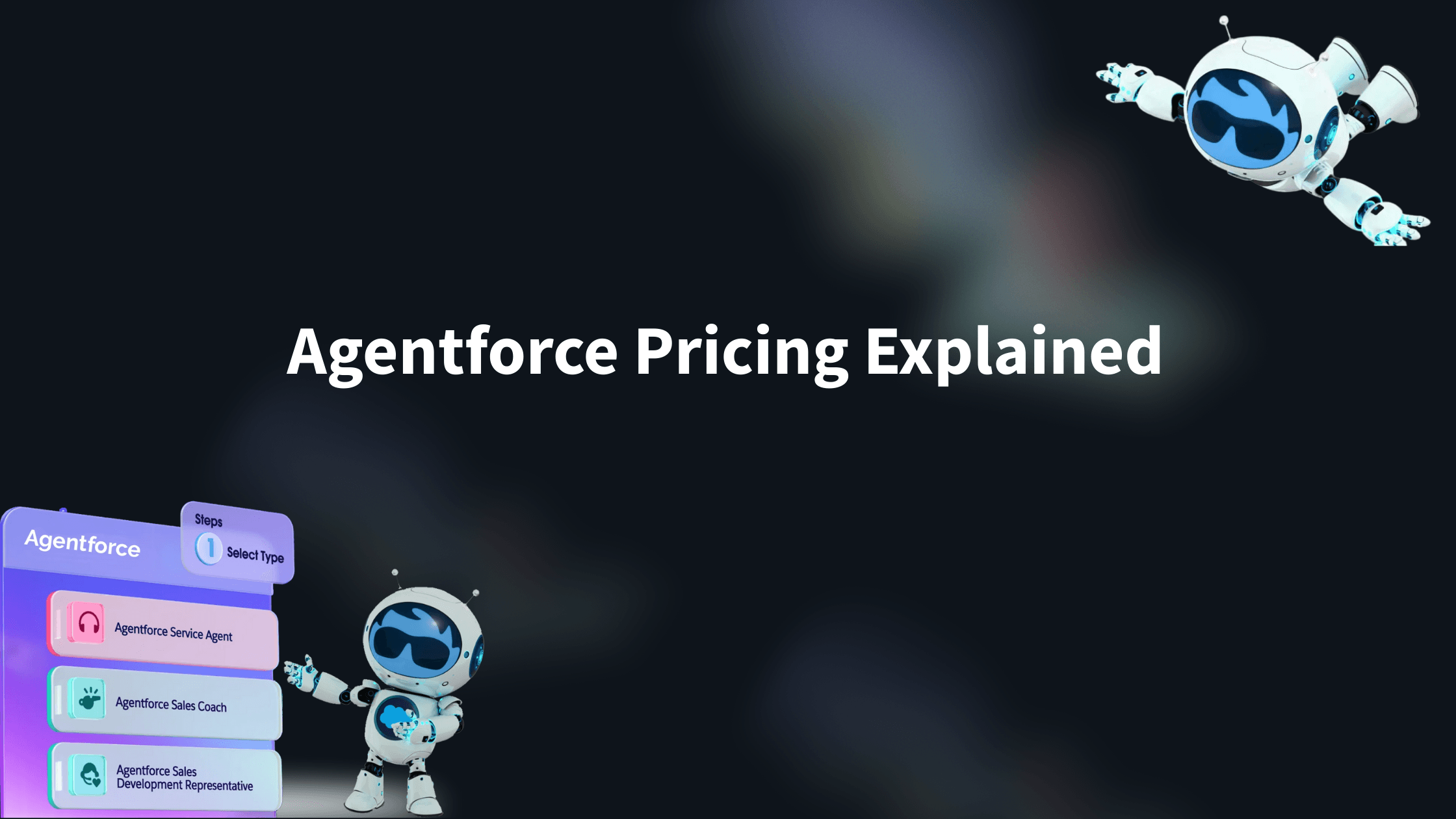
Agentforce Pricing Explained (with real life examples) 

What you’ll find in this blog:

  • An explanation of Agentforce’s consumption-based pricing model, a flexible alternative to traditional upfront license fees.
  • A breakdown of why getting started with Agentforce may be more cost-effective and accessible than you think.
  • Practical examples and use cases to help you estimate consumption and understand the different pricing structures.

Agentforce is evolving rapidly, with new releases and integrations landing almost every month. For consultancies and businesses eager to explore AI within the Salesforce ecosystem, it’s an exciting time. 

So, what does it take to get started with Salesforce AI? The answer may surprise you. 

Unlike many Salesforce products that require significant upfront license commitments, Agentforce uses a consumption-based pricing model. You pay only for what you use, billed in arrears each month. It’s a notable shift from the traditional Salesforce model that has been designed to make adoption more flexible, accessible, and cost-efficient. 

Consumption Options 

Before we delve into the differing consumption models, let’s just take a moment to understand the currency used within them, ‘FlexCredits’ & ‘Per Conversation Credits’.  

FlexCredits 

Salesforce has introduced FlexCredits as the variable currency behind Agentforce. Whenever you or your customers interact with an AI Agent, credits are consumed. 

A single FlexCredit is priced at roughly £0.004. 

Each agent interaction is measured in actions. On average, a typical request will take 3 actions to complete which includes things like retrieving a record, summarizing a pdf document or image, or finding the answer to a customer question on your website. 

Every action consumes 20 FlexCredits, which works out at approximately £0.08 per action

A little confused? Don’t worry. Basically, you can pretty much ignore the FlexCredit price, we really only care about actions as that’s where it becomes easier to estimate consumption and how it’s really measured. 

We’ll explore in more detail below how actions are counted and why this model gives you a predictable, transparent way to manage costs. 

FlexCredits are perfect for variable interaction with the AI agent that results in 7 or fewer actions when using list price. 

Per Conversation Credits 

Alongside FlexCredits, Salesforce also offers a per-conversation pricing model. You pay a flat rate of £1.60 per conversation

This suits those who expect an internal task or customer interacting with your AI Agent to exceed 7 actions regularly. This gives you cost predictability without having to worry about actions. 

Now that we have looked at the FlexCredit and Per Conversation pricing structures, let’s explore the options for applying them in your contract. 

Consumption Models 

There are three models available. 

Consumption Model Pro’s Con’s 
Pay as you go – Ideal for testing the waters with minimal risk 
– Full control over spend 
– No upfront commitment 
– Full access to all functionality 
– Paid in arrears based only on what you use 
– Fixed pricing at £0.08 per action or £1.60 per conversation, no volume discounts 
– Costs can add up quickly at scale 
Pre-commit – Ability to negotiate lower per-action or per-conversation rates 
– No upfront payment (billed monthly against an agreed baseline) 
– Predictable budgeting (Agents can be turned off when limits are met) 
– Tied into a contract/bill for the agreed term 
– Risk of overage charges if usage exceeds the baseline  
Pre-purchase – Maximum cost savings due to upfront commitment – Full payment required upfront for the contract term 
– Still subject to overage if usage goes beyond what was purchased  

While the eye might immediately jump to the pay as you go model as the obvious choice, knowing your use case can give you good reason to consider the other models too: 

  • High-value transactions: If you operate in a sector like insurance or mortgages, where applications are multi-step, you often know your monthly volumes and can easily define the number of actions needed. A pre-commit or purchase model can significantly reduce costs in this type of use case. 
  • High-volume support: If you’re running a service desk or support queue, using an AI Agent to triage cases may require only a handful of actions per interaction, but at high volume. In that scenario, securing a lower per-action rate with FlexCredits could deliver meaningful savings. 

Either way, if you’re just starting the journey, Pay-as-you-go remains the safest entry point. It lets you experiment without commitment, and once your consumption patterns are clearer and value is defined, you can confidently shift to Pre-commit or Pre-purchase to lock in better rates. 

How do I measure my consumption and stop it getting out of control? 

When you hear pay-as-you-go, it’s easy to think of a mobile phone plan where costs can spiral if you’re not careful. Thankfully, Salesforce have thought of this and provide the Digital Wallet. 

When you activate Agentforce you get a digital wallet that allows you to monitor consumption in both your live and testing environments. Usage is refreshed regularly, so you always know where you stand. You can view and filter consumption by week, month, or year, giving you a clear picture of your upcoming bill and visibility into any potential overages across all models. 

What’s more, agents can be individually activated or deactivated at any time, giving you additional control if you need to pause usage or manage spend against a budget. 

How do I estimate my consumption and what will I pay? (Examples: Use Case & ROI) 

To help you understand how you might estimate consumption we will use two illustrative use cases. 

For reference, we’ve defined that an action costs approximately £0.08 and a conversation costs £1.60. Let’s now dive into the two use cases to show how actions are consumed and help you better understand potential consumption and ROI. 

Use Case 1: Employee Onboarding Help (Internal) – Illustrative 

Our use case involves an AI Agent answering employee questions about company policy, holiday allowance, company HR procedures. The AI Agent has access to the policy handbook, leave entitlements and HR records stored in Salesforce. 

Employee: How many days annual leave do I have this year? 

AI Agent: Your records show 25 days of leave entitlement, but you have 12 remaining. Would you like to see the leave days you have taken this year? 

  • The agent queries the HR record in context of the employee and responds accurately. 
  • Cost: 1 action = £0.08 + 1 satisfied employee. 

The employee then asks: 

Employee: Can I carry over unused holidays into next year? 

AI Agent: The company policy allows you to take 5 unused days into the next year, (Section 5.2). Would you like me guide you through the process or create the carry-over request for you? 

  • Here, the agent reads the policy PDF and displays the response, even offering to initiate the carry-over request. 
  • Cost: 1 action = £0.08, cumulative cost = £0.16 + 1 happier employee. 

If we estimate 100 employees, each asking an average of 5 HR-related questions per month over a year: 

  • Total actions = 100 × 5 × 12 = 6,000 actions 
  • Estimated cost: 6,000 × £0.08 = £480 per year (~£40 per month) 

This demonstrates how an AI Agent can provide a cost-effective HR assistant

This use case is a great example of why to use FlexCredits over Per Conversation credits.  

  • FlexCredits are ideal because employee queries vary month-to-month. The per-action model allows you to pay only for what is consumed, rather than a fixed conversation price. 
  • If employee usage grows, you can monitor consumption directly in Salesforce and adjust your FlexCredit purchases before costs escalate

Use Case 2: Website Concierge (Chatbot Replacement) – illustrative 

This use case explores an AI Agent helping potential customers with apartment recommendations, bookings, and additional activities. The agent has access to website content, available listings, and local events, enabling it to provide personalized guidance. 

The prospective customer asks: 

Customer: I am looking for an apartment that sleeps 4 with a pool in the south of France for June. What do you have available? 

AI Agent: We have several listings available. Could you tell me a bit more about the specific area you would like in the south of France, length of stay and any activities you would like to do whilst on your trip? This will help me find you the best fit for you. 

  • The agent validates that listings exist matching the location, capacity, and pool requirements. 
  • It can check availability for additional activities and guide the conversation in a natural, exploratory tone. 

Because interactions like this are more complex and variable, a fixed per-conversation charge is often more suitable than FlexCredits. For instance: 

  • A single conversation could include multiple passes to refine recommendations, conduct multiple availability checks and validate booking steps. When added together this can consume a lot of actions. 
  • Using the £1.60 per conversation model provides predictable costs while delivering an uncapped customer experience. 

Capturing a qualified lead or completing a booking for £1.60 represents excellent value, particularly when compared with traditional manual handling by staff. If you use a chatbot on your website, you will no doubt, be familiar with the limitations and robotic tone it offers. Agentforce will brighten the interactions adding that human feel. 

In Summary 

From our experience, simply putting an AI Agent into the business to “see how it goes” rarely succeeds. Agentforce works slightly differently to other common LLM’s. It comes locked down by design and for good reason. You hold the key to its training. Sure, it does basic things out-of-the-box but still lacks the business context and use cases that bring the real magic to your business. 

To maximise value, you need to identify where the efficiency gains or cost savings lie. Then deploy Agents to augment the business specific tasks, employee support and customer acquisition processes you have been building over the years. 

We hope this article has gone some way to help you understand two key pricing options (FlexCredits & Per Conversation) as well as the Pro’s and Con’s of the different consumption models on offer to begin your AI journey on Salesforce. 

What’s clear is that barrier to entry is extremely low, making it easier than ever to explore how AI agents can give you efficiency gains, cost savings or even a competitive edge in today’s fast moving AI landscape. 

Salesforce is a platform we at Xenogenix have trusted for over a decade, and the introduction of Agentforce gives us a solution that we can confidently recommend. 

We’re here to advise and support as always. Whether you want to explore use cases, understand consumption models, or simply chat about adopting Agentforce, we can help you navigate the process in a measured, informed way. 

References:

https://www.salesforce.com/news/stories/new-agentforce-payment-options/

https://www.salesforce.com/agentforce/pricing/

Disclaimer:

Agentforce pricing is subject to change at any time, all pricing and costings listed above are correct as of 18/09/2025.

Why Your Salesforce Org Goes Stale Without Ongoing Care

What You’ll Find in This Blog 

  • Protecting Your Investment: This blog explains how a Salesforce org can become outdated and inefficient without continuous support, directly impacting your return on investment. 
  • Signs of a Stale System: Learn to identify common issues such as low user adoption, messy data, and unutilised features that indicate your system is going stale. 
  • The Proactive Solution: Discover how a managed services model provides continuous, proactive care to prevent issues and ensure your system is always up-to-date and effective. 

A Salesforce implementation is a significant investment, a powerful leap towards operational efficiency and growth. But what happens after go-live? The reality is that your Salesforce org is a living, breathing system that needs constant attention. Without it, your investment can quickly go stale, losing its value and becoming a source of frustration rather than a driver of success. 

Signs Your System is Going Stale 

Your Salesforce org isn’t a “set and forget” asset. Over time, a lack of continuous improvement leads to clear signs of decline: 

  • Low User Adoption: If your team is returning to spreadsheets or using workarounds, it’s a sign they’re not getting the support they need. A stale system is one that no longer fits the team’s evolving needs, leading to disengagement. 
  • Messy and Incomplete Data: Without regular data audits and cleanup, your org’s data quality will inevitably degrade. This leads to inaccurate reports, poor decisions, and a loss of trust in the system. 
  • Missed Features and Updates: Salesforce releases new features three times a year. Without a team to review, test, and implement these, your org will be left behind, unable to take advantage of new innovations that could boost productivity. 

The Dangers of a Stale System 

The consequences of a stale Salesforce org are far-reaching. They include: 

  • Reduced ROI: The business value you fought so hard to secure during go-live is slowly eroded. 
  • Increased Risk: Outdated security settings and unmanaged processes can leave you vulnerable to data breaches or compliance issues. 
  • Wasted Labour: Your team spends valuable time on manual, repetitive tasks that could have been automated months ago. 

The Cure: Proactive Managed Services 

A managed services partner acts as a safe pair of hands, providing the continuous care your Salesforce org needs. We focus on proactive support that prevents problems before they start. 

  • Continuous Improvement: We review your system regularly, identifying opportunities for automation and efficiency gains. 
  • Expert Release Management: Our team reviews every Salesforce update, determining which new features can be leveraged to benefit your business and managing the implementation process. 
  • Ongoing Enablement: We help your team adopt new features and best practices, ensuring your system stays fresh, relevant, and well-utilised. 

Don’t let your system go stale. Protect your investment and ensure your Salesforce org remains a powerful engine for your business for years to come. 

Frequently Asked Questions

What is a CRM?

A CRM (Customer Relationship Management) system is a technology that helps businesses manage and analyse customer interactions and data throughout the customer lifecycle. The goal is to improve business relationships with customers, assist in customer retention, and drive sales growth. Think of it as a central hub for all your sales, service, and marketing activities.

Why does my business need a CRM?

A CRM is essential for any business that wants to scale and grow. It helps you centralise data to get a 360-degree view of your customer, automate repetitive tasks to save time, and improve collaboration across teams. Without one, you risk losing customer data, missing sales opportunities, and providing inconsistent service.

How does it generate value in the business? 

Salesforce as a CRM can provide business value by optimising processing time of a specific business scenario. In the example managed above, it may take an Hour to have a handover with the different departments, but being able to see all the information already recorded will save time in having a handover. Creating Time saves at different points will mean that more work can be reviewed and assessed over multiple systems. CRMs are also capable of automating processes, which could save time. For example, if a contract is set to expire, an email can be automatically sent out of the system a month before to gauge interest in renewing the contract. 

Is a CRM only for sales teams?

No. While a CRM is foundational for sales, modern platforms like Salesforce are designed to support a wide range of business functions. Marketing teams use it for lead nurturing, service teams use it for case management, and even IT and HR departments can leverage it to automate their processes.

What is the difference between a CRM and an ERP?

A CRM focuses on the front-end of the business, managing customer-facing activities like sales, marketing, and service. An ERP (Enterprise Resource Planning) system focuses on the back-end, handling core business processes like finance, manufacturing, and supply chain. Many businesses integrate their CRM and ERP systems to ensure data flows seamlessly between the two.

How does it work with external systems? 

 Salesforce uses an Application Programming Interface (API) to interact with other external systems. Various Software packages can be installed into Salesforce directly through the Salesforce App Exchange and be configured in Salesforce to synchronise data, send messages between systems & create records in Salesforce based on actions in the External system.  

How do I measure the ROI of my CRM investment?

You can measure the return on investment (ROI) by tracking key metrics and comparing them to your business before the CRM. Key performance indicators (KPIs) include:

  • Increased sales conversion rates.
  • Reduced time to close a deal.
  • Improved customer satisfaction scores.
  • Reduced customer churn.
  • Increased user adoption.

  How long does a CRM implementation take?

The timeline for a CRM implementation can vary widely depending on the complexity of your business, the number of users, and your specific requirements. A basic implementation might take a few weeks, while a large-scale, complex project with custom integrations could take several months.

Is my customers’ data safe in a CRM?

Yes. Reputable CRM providers like Salesforce invest heavily in security to protect your data. They offer robust features like data encryption, access control, and compliance certifications. However, the ultimate security of your data also depends on your internal governance, user permissions, and best practices.

What are the biggest challenges with a CRM?

Common challenges include low user adoption, messy data, and not having a long-term plan for the system’s growth. Many organisations implement a CRM and then leave it to go stale. This is why ongoing support and continuous improvement are critical to maximising your investment.

What is the difference between a one-off implementation and Managed Services?

A one-off implementation is a project with a defined start and end date, focused on getting your system live. Managed Services is a long-term partnership that provides continuous support after go-live. It includes proactive system maintenance, new feature adoption, user enablement, and strategic guidance to ensure your CRM keeps evolving with your business.

Find Out More

If you still have questions about if a CRM is right for your business fill out the form below and one of the team will be in touch shortly.

Xenogenix Logo

Is Your Salesforce Ready for the Autumn Rush? Why a Summer Health Check is Crucial.

What You’ll Find in This Blog

  • Proactive CRM Maintenance: Discover why the quieter summer period is the ideal time to perform a comprehensive Salesforce health check to prepare for the busy months ahead.
  • Identifying Org Health: Learn to spot common red flags, such as slow performance, poor data quality, and low user adoption, which indicate your Salesforce instance needs optimisation.
  • Two Health Check Options: The blog introduces both a free interactive tool for instant insights and a consultant-led health check for a deeper, more tailored analysis.
  • Key Benefits: Understand how a health check improves efficiency, enhances data quality, strengthens security, and future-proofs your Salesforce implementation.

Introduction: The Quiet Before the Storm

As the summer sun shines, your business might be experiencing a natural slowdown. Meetings are a little less frantic, inboxes are slightly quieter, and the usual autumn rush feels a long way off. But instead of seeing this as downtime, smart leaders are viewing it as an opportunity.

The summer lull is the perfect time to get your house in order. And when it comes to your digital operations, there’s no better place to start than with your Salesforce implementation. Is your org truly ready for the increase in activity that comes with the new financial year? Or is it harbouring hidden issues that will slow you down when it matters most?

What is a Salesforce Health Check?

A Salesforce Health Check is a comprehensive review of your org to identify areas of inefficiency, potential risks, and opportunities for optimisation. It’s like a deep clean and tune-up for your most valuable business tool. A health check with Xenogenix delves into key areas, including:

  • Performance & Efficiency: Are your reports running slowly? Are users spending too much time on manual tasks that could be automated?
  • Data Quality: Is your data messy, duplicated, or incomplete? Poor data leads to poor decisions.
  • Security & Governance: Are your user permissions, sharing rules, and security settings up to standard and compliant?
  • Future-proofing: Is your current setup scalable? Are you taking advantage of the latest features and releases to stay ahead of the curve?

Common Red Flags Your Org Needs a Health Check

Even if you’re not an admin, you can spot the tell-tale signs that your Salesforce implementation needs a tune-up:

  • The “We’ve always done it this way” Mentality: Your team is using workarounds or manual spreadsheets instead of the system.
  • Low User Adoption: People are complaining about the system or simply not using it as intended.
  • Sloppy Data: You see duplicate records, incomplete fields, or inconsistent information.
  • Slow Reports & Dashboards: Users are waiting too long for pages to load.
  • Security Worries: You have concerns about who has access to what data.

The Summer Advantage: Why Now is the Best Time

Carrying out a full health check can be difficult during peak periods. The summer provides a unique window to:

  • Avoid Disruptions: With fewer meetings and lighter project loads, your team can more easily provide feedback without disrupting critical work.
  • Implement Changes: Found some issues? You have time to properly implement and test solutions, train users, and embed new processes before the autumn rush.
  • Strategic Planning: Use the findings to build a clear roadmap for the second half of the year, ensuring your Salesforce strategy is aligned with your business goals.

Ready to See How Healthy Your Org Is?

At Xenogenix, we believe an optimised Salesforce org is the foundation of a successful business. We have two ways you can get started:

  1. Book a Free Consultant-Led Health Check: For a deeper, more tailored analysis, speak with one of our certified consultants. We’ll provide a personalised review and actionable recommendations to help you prepare for the busy months ahead.

Don’t wait for autumn to expose your vulnerabilities. Make the most of the summer and ensure your Salesforce is in peak condition.

Book Your Free Healthcheck

Fill out the form below and one of our consultants will be in touch to book your healthcheck,

Xenogenix Logo

Why “Test, Test, Test” Should Be Your Pardot Mantra

When working in Marketing Cloud Account Engagement (Pardot), it’s easy to assume everything will run smoothly once your logic is set. After all, the system will follow the rules you give it — but that’s exactly why testing and previewing should be a non-negotiable step in your process.

The System Isn’t Wrong — But People Can Be

Whether you’re creating automation rules, dynamic lists, or segmentation rules, Pardot will faithfully apply the logic you’ve configured. The problem? Even the most experienced marketers can slip up with complex criteria, mismatched field values, or overlooked filters.

That’s why the best advice we can give is:
🔁 Test, test, and test again.

Always Use the Preview Function

Before activating anything, take advantage of Pardot’s preview feature to see exactly which prospects will be affected. It’s your safety net and a quick way to sanity-check your setup. If you see names that shouldn’t be there (or don’t see ones that should), that’s your red flag to go back and review the logic.

Don’t Forget Engagement Studio

It’s easy to overlook, but Engagement Studio needs just as much testing. The flow might look right at a glance, but if your wait times are off or conditions aren’t quite right, you could end up sending all your emails on Day 1 — or never sending them at all.

✅ Use the Test function in Engagement Studio to run different prospect scenarios. This will help you make sure your wait times, rules, and branching logic work exactly as you expect. It’s the best way to catch errors before your audience does.

Avoid Automation Regret

Turning on a misconfigured automation can lead to emails being sent to the wrong list, prospects being incorrectly tagged or nurtured, or worse — data being overwritten. Fixing these issues later takes far longer than taking a few extra minutes upfront to validate your setup.

Final Thought

Pardot is powerful, but it’s only as accurate as the rules you give it. So before you hit “Activate,” remember:

Test. Test. Test.

Reclaim Your Salesforce Storage: A Guide to Deleting High-Volume Certinia PSA Records 

What you will find in this blog:

  • Certinia PSA Storage Solutions: Discover why high-volume Certinia (formerly FinancialForce) PSA data impacts Salesforce storage and how to manage it without built-in archiving.
  • Safe Data Deletion & Backup: Learn critical precautions like sandbox testing and archiving, plus best practices for safely deleting historical records.
  • Key Records to Target: Identify specific high-volume Certinia PSA record types (Timecard Splits, Expenses, etc.) and guidance on how to address them.

Introduction: Is your Salesforce storage creeping up, causing concerns about performance or additional costs? For Certinia (formerly FinancialForce) PSA users, managing data volume is crucial, especially since the platform doesn’t have a built-in archiving feature. Over time, high-volume transactional records can consume significant storage. The good news? You can proactively manage this. 

At Xenogenix, as experienced Salesforce and Certinia partners, we understand the intricacies of optimising your cloud solutions. This guide will walk you through how to judiciously delete high-volume Certinia PSA records to reduce your total storage, ensuring your Salesforce environment remains efficient and cost-effective. 

Why Delete PSA Records? Certinia PSA generates a large volume of transactional data, including timecard splits, expenses, milestones, and budget details. While essential for operations, historical records can accumulate, leading to: 

  • Increased storage consumption, potentially requiring you to purchase more data. 
  • Slightly slower report generation or system performance if queries have to sift through massive datasets. 

Key Considerations Before Deleting: Certinia advises extreme caution when deleting records, especially from a production environment. Our primary recommendations are: 

  1. Always Test in Sandbox First: Before any deletion in your live org, replicate the process in a sandbox environment to understand the exact impact and confirm expected outcomes. 
  1. Empty Your Recycle Bin (if needed): New deletions can overwrite existing items in your Recycle Bin. Ensure it’s clear of anything you wish to retain before proceeding. 
  1. Archive Data: Deleting means permanent removal from your live Salesforce org. For compliance or future reference, always export high-volume records as a .csv file and archive them securely before deletion. 

Which High-Volume PSA Records Can You Delete? 

Here’s a breakdown of common high-volume records and considerations for their deletion: 

  • Transactional Records (Timecard Splits, Expenses, Milestones, Budgets, Miscellaneous Adjustments): 
  • These are often the biggest culprits for storage. 
  • Identify records older than a specific cutoff date (e.g., more than 5 years old). 
  • Export these records for your archives. 
  • Use tools like Salesforce Data Loader to delete them. You can use a script for mass deletion based on your criteria. 
  • Utilisation Detail Records: 
  • These records capture granular details about resource utilisation
  • They can be exported and deleted for periods older than your required reporting window. 
  • Note: These records can often be regenerated if needed, but consider the effort involved. 
  • Backlog Detail Records: 
  • These relate to your project backlog calculations. 
  • You can delete historical backlog detail records. 
  • Consider using the “Reuse Detail Objects” in the Backlog Calculation job to prevent excessive record creation going forward. 
  • If using Data Loader, delete Backlog Detail records before their associated Backlog Calculation records. 
  • Est vs Actuals Records (EVAs): 
  • Similar to other record types, users are advised to export and delete EVAs older than a specified date, with the understanding that they can be regenerated. A script example is also provided. 
  • Time Date Records: 
  • The article mentions that deleting these child records of timecards can affect timecards and reports if they rely on this object. 

Need a Helping Hand with Storage Management? Navigating high-volume data deletion requires careful planning and execution to avoid disrupting your operations or losing critical information. At Xenogenix, we specialise in Certinia and Salesforce optimisation. Our experts can: 

  • Assess your org’s current storage usage and identify key areas for reduction. 
  • Develop a tailored data retention and deletion strategy. 
  • Safely implement deletion processes, ensuring data integrity and compliance. 
  • Provide ongoing guidance to keep your Salesforce environment lean and efficient. 

Don’t let data overload slow you down or inflate your costs. Contact Xenogenix today for a consultation on optimising your Salesforce and Certinia storage! 

Unleashing New Approval Power with Salesforce Spring ’25 Flows: A Xenogenix Perspective  

The highly anticipated Salesforce Spring ’25 release is here, bringing with it a game-changer for how organisations manage approvals. Gone are the days of rigid approval workflows that only allowed specific naming of approvers. Salesforce’s new Flow types are designed to handle the more varied and real world scenarios we see within our businesses.  

What’s New and How Does it Benefit You?  

Let’s dive into the core enhancements that will empower your operations:  

  1. Launch Approvals that make sense to approvers and requestors: Historically, Salesforce offered the ‘Submit for Approval’ button out of the box and as we know this was not directly customizable to a business need. Much of the ability to customize this process was a dark art. With the new approval functionality, we can leverage the power of Flow, custom buttons and lightning page layouts to deliver a truly tailored and optimized experience. Ever wanted to ask the user for additional information that actually supports your ability to approve during submission? Ever wanted to validate the approver was in the building for a quick turnaround, or choose an alternative approver based on real time data?  It’s all possible with the new approval tool.  
  1. Trigger approvals at the right time and prompt when needed: Record triggered approvals appear when they should. You won’t need to rely on users to hit submit. Approvers will be notified at the right time based on a stage change or a data capture moment. Don’t worry, you can still require a user prompt as mentioned above, but if/when needed you can let Salesforce do the heavy lifting.   
  1. Sophisticated Stage and Step Management: The real power of these new Flow types lies in their ability to define clear stages and steps. This provides unprecedented control over your approval hierarchy:  
  • Multi-step Processes: Design complex approval paths with multiple steps within each stage, and trigger those stages based on the system data you choose. With the approvals now being Flow based, we have access to a much wider set of data to act upon 
  • Sequential or Parallel Execution: Choose whether steps run one after another or simultaneously, optimising for speed or thoroughness. Those of you familiar with CPQ Advanced Approvals will know this was a big selling point of the solution. Now it’s standard! 
  • Embed Existing Flows to support your approvals: You can even embed other Screen Flows (for user interaction) or Autolaunched Flows (for background automation) within these stages, creating truly comprehensive workflows that not only provide guardrails but support complex follow on action 
  • Customisable Entry Criteria: Set precise conditions for when an approval step should begin, ensuring the right people are involved at the right time.  

A Xenogenix Advantage  

At Xenogenix, we are incredibly excited about these new Flow Approval Orchestration capabilities. They provide us with even more robust tools to design, implement, and refine custom solutions tailored to your unique business requirements. Whether you’re looking to simplify expense approvals, automate contract sign-offs, or streamline complex project initiations, these new features offer the flexibility and power to achieve your goals.  

Ready to Optimise Your Approvals?  

The Salesforce Spring ’25 release brings a new era of approval management. Get in touch with us today to discuss how these powerful new features can be leveraged to further optimise your Salesforce environment, reduce bottlenecks, and drive greater operational efficiency. Let’s unlock the full potential of your Salesforce investment together!