Category: Uncategorised

App of the Month – Conga Composer

There are hundreds of apps on the Salesforce Appexchange, many of which we regularly use to implement solutions for our customers. With so many to choose from it can be difficult to decide which to use.

Our top recommendation for this month is Conga Composer.

conga

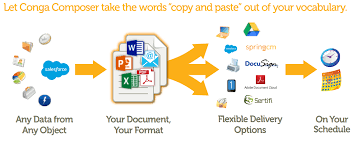
Conga Composer makes document generation easy and accurate. Save time, cut costs & scale up with document automation: merge data into templates for pixel-perfect proposals, quotes and more in Word, PowerPoint, Excel, HTML email & PDFs.

• SAVE TIME: Send consistent documents, slashing time spent preparing and editing
• REDUCE ERRORS & CUT COSTS: End the back-and-forth of copy-pasting data from Salesforce
• INCREASE INSIGHT & TRACKING: See how teams use documents and processes through Salesforce data & activities

A doc gen solution, Conga Composer lets you create templates & produce consistent, on-brand documents automatically in one click, using ANY standard or custom Salesforce object. Eliminate time-consuming, error-prone manual tasks. You can scale up to produce 1,000s of documents a day without more staff.

Compatible with Sales Cloud, Service Cloud, Communities, Portals, Platform, Salesforce1 & Lightning.

Our consultants love Conga Composer because of its ability to merge fields from many related objects and build very personalised documents that look professional with minimal work required by the end user. The app enables you to put buttons on an object so the end user just needs to click a button and can send out great looking quote/proposals very quickly.

To hear more about Conga Composer and how we can implement this within your Salesforce Org give us a call on 0845 6525 625 or simply fill in your details here.

What You Need to Know About Salesforce Lightning Experience

Salesforce Lightning – The future of CRM.

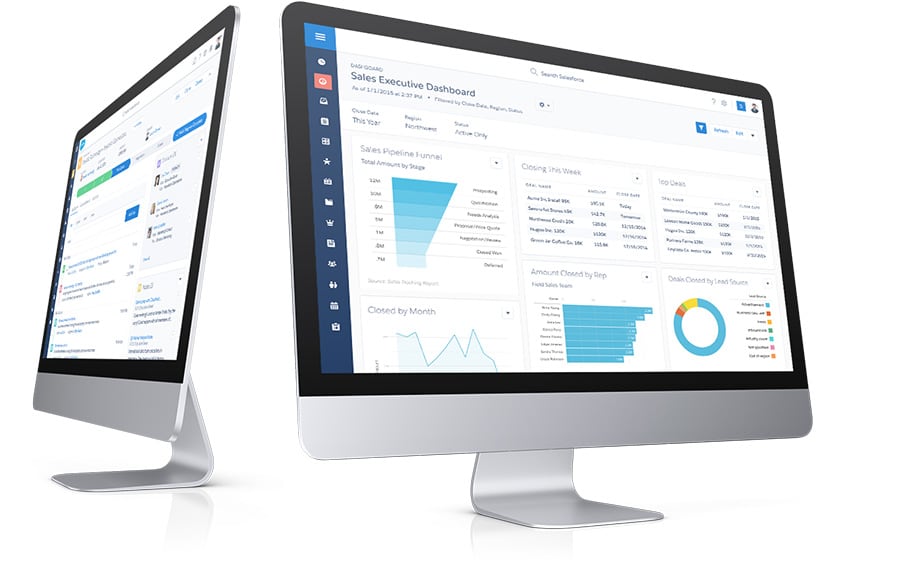
Lightning Experience is a completely new Salesforce and a completely new way to sell. It’s a re-imagined platform designed to maximise sales rep productivity, complete with analytics and in-line intelligence that will drive sales precision.

The Lightning Experience brings a re-imagined consumer-like experience that is modern, efficient and smart to Salesforce users across every device – desktop, tablet and mobile. Relevant information is surfaced for each screen, streamlining processes and making workflows more intuitive.

Key Features and Benefits of Salesforce Lightning Experience:

  • Delivers a modern, smart experience across every device
  • Easily modifiable and existing customisation’s can be brought forward seamlessly
  • Extend or build new apps with the Lightning App Builder and Lightning Components

With a sales-centric mindset, Salesforce have reinvented the desktop environment to better support your sales process. The result is an intuitive, intelligent interface that helps sales reps work more naturally and close more deals faster.

Lightning Experience doesn’t end with Sales. Besides transforming Salesforce CRM, Lightning Experience also extends to service, apps, platform, and more. No matter what department you’re in, we understand that the way people work is changing.

How to transition to Salesforce Lightning Expereince.

Transitioning to Salesforce Lightning Experience can seem daunting, but with the right approach, it can be a smooth and successful process. Start by identifying your key business processes and workflows, and determine how they can be optimized using Lightning Experience. Next, create a plan for training and support, ensuring that all users are comfortable with the new interface and features. Finally, consider working with a Salesforce partner or consultant to ensure a successful transition and maximize the benefits of Lightning Experience for your business.

All this change is greatly influenced by the rise of mobile. Sales reps at your company are already using mobile to research prospective customers, get directions to client meetings, connect socially with customers, and more. That’s why Lightning Experience takes the cool stuff from the Salesforce1 mobile experience and brings it to the desktop.

Our team of experienced consultants have guided many companies to success with Salesforce Lightning. If you are interested in hearing more about lightning experience or how to migrate contact us on 08456 525 625 or simply fill in your details here.

Salesforce Spring ’17 Release

Our Productivity Enhancing Picks
for your Sales Team

The latest Salesforce release (Spring ’17) is on the horizon. This release is going to contain many Lightning Experience usability enhancements. Users will be pleasantly surprised and companies on classic will be starting to take another look at their Lightning readiness.

We have been through the release notes and wanted to focus on user experience and sales productivity within Lightning Experience so here are our favourite enhancements:

Opportunity Products Go Classic

Products have been given a much-needed upgrade. You will now be able to multi-select products, so your sales team must no longer add products one by one in the Lightning UI.

This feature mimics the older Multi-Line layout of Classic and gives you a basic CPQ feel at no added premium. This new upgrade will speed up the time it takes representatives to add products to opportunities.

Sales representatives will be able to:
– Add up to 50 products to opportunities at once,
– Edit 200 product simultaneously,
– Perform multiple product searches without losing previous selections,
– Select multiple products to add to an opportunity, and remove selected products,
– Return to add more products without losing changes they’ve made to line item details.

Quotes get a new face and a major overhaul

This feature set has been on our wish list for a while! In fact, one of my clients asked me how to access the quotes tab only yesterday! The Spring ’17 release makes it possible to view quotes in their very own object and in the much-loved Kanban view that Lightning brings to Salesforce.

Here is a look at what’s changing:
– Show your teams’ quotes side by side for easy comparison and access
– Get the big picture with Kanban. *(Unique to Lightning Experience.)
– View and manage quote line items and quote PDFs
– Create quote PDFs, email quotes, and manage quote syncing.
– Manage email, events, logged calls, and tasks in the activity timeline *(Unique to Lightning Experience.)
– Use Chatter to collaborate during the quote management process. Share information, updates, and documents, and monitor status and key field changes on quote records. To monitor quote and quote product fields via Chatter, enable feed tracking for the fields that you want to track.
– Add Path (setup required) to track quotes throughout your sales process *(Unique to Lightning Experience.)

Collaborative Forecasts

Forecasting allows sales users and their sales managers to more accurately forecast and understand their pipeline. For companies who rely heavily on the Salesforce forecasting object, you can now access this in Lightning without moving away from the new UI.

Sales Management will be able to show reps how sales numbers measure up in a given period by helping teams project sales revenue and quantities from the opportunity pipeline, including opportunity splits and custom opportunity currency fields.

These are our top Sales features coming in the Spring17’ release, watch out for further information on our favourite features across the release and different roles!

Salesforce rely on their customers to feedback to them the features and updates they would like to see in future. If you have an idea you’d love to see get onto the Salesforce Idea Exchange and share your feedback!

If you need help deciding if Lightning is right for you, we can help! Give us a call on 08456 525 625 or fill in your details

Automatic Reschedule of Products using Visualflow

Reschedule Products – Introduction

Our client provides payment gateway services and wins orders that have scheduled opportunity products over multiple years.

When an opportunity line item is added to an opportunity, monthly scheduled item records are automatically generated starting from the close date of the opportunity.

However,  the opportunity also contains a custom field ‘Revenue Start Date’ which should be the first scheduled date of the scheduled line items. As the opportunity progresses through the lifecycle, the client frequently changes the Revenue Start Date and requires that the scheduled line items be automatically re-scheduled from this new date.

Furthermore the requirement is that if the Revenue Start Date is set for the last day of a month, then the subsequent Scheduled Dates must also contain the last day of the month.

We built a Flow definition to satisfy this requirement and this note explains the solution design.

Opportunity Products.

The client has circa 40 products of which 20% are enabled for revenue scheduling. All schedulable products are scheduled at monthly intervals. This simplifies the solution.

Process Flows

The headless flows are launched by Process Builder workflows that are in turn triggered by

  • The addition of a new schedule opportunity product line item
  • A change in the Revenue Start date

An overview of the flow that creates a schedule based on the Revenue Start Date is shown below:

[fusion_builder_container hundred_percent=”yes” overflow=”visible”][fusion_builder_row][fusion_builder_column type=”1_1″ background_position=”left top” background_color=”” border_size=”” border_color=”” border_style=”solid” spacing=”yes” background_image=”” background_repeat=”no-repeat” padding=”” margin_top=”0px” margin_bottom=”0px” class=”” id=”” animation_type=”” animation_speed=”0.3″ animation_direction=”left” hide_on_mobile=”no” center_content=”no” min_height=”none”]

fig-1-reschedule-new-product

Flow to reschedule opportunity products


  1. The flow starts by looking up the Opportunity that needs to be rescheduled, and setting the value of the variable Revenue Start Date
  2. The Fast Lookup creates a collection variable of all the scheduled opportunity product records, and sorts these in Ascending Start Date order.
  3. The loop specifies the loop through the RevenueScheduledRecords in ascending order. and assigns an ID and start date variable of each loop record.
  4. This Assignment element works out the month number of the ScheduleDate of each loop record. (It uses the result of the Assignment element, indexed as 9 in the diagram. This simply counts the number of scheduled records in the loop. )It calculates the Month number of the Revenue Start month, and adds the index number of the scheduled records in the loop. E.g, for the first record in the loop the Index number or record count is 0, hence  If the revenue Start date =1/03/2017, then the month number = 3 +0=3.For the say, 5th record in the loop the Month number will be 3+4=7In fact as we are covering scheduled over more than one year, the required formual to work out the month number is as follows.If(MOD(MONTH({!NewRevenueStartDate})+{!varCountSchedItem},12)=0,12, MOD(MONTH({!NewRevenueStartDate})+{!varCountSchedItem},12))
  5. This Assignment works out the Year of the Scheduled Date for each loop record

    YEAR({!NewRevenueStartDate})+FLOOR((MONTH({!NewRevenueStartDate})+{!varCountSchedItem})/12)

  1. This Assignment works out the relevant DAY of the Scheduled Date for each Scheduled record. The formula logic is convoluted because we need to cater for populating a relevant last day of a month  for each scheduled record. I.e if the start date is say 30th of April, the the scheduled records for months that do not comprise 30 days must have a Day number =31.

If(
AND(
DAY({!NewRevenueStartDate})>=30,
OR({!varNextMonthNo}=4,{!varNextMonthNo}=6,{!varNextMonthNo}=9,{!varNextMonthNo}=11)
), 30,
If(
AND
(
DAY({!NewRevenueStartDate})>=28,{!varNextMonthNo}=2, MOD({!varLoopYear},4)=0
), 29,

If(
AND
(
DAY({!NewRevenueStartDate})>=28,{!varNextMonthNo}=2, MOD({!varLoopYear},4)>0
), 28,

If(
AND
(
DAY({!NewRevenueStartDate})=30,
OR
(
MONTH({!NewRevenueStartDate})=4,MONTH({!NewRevenueStartDate})=6,MONTH({!NewRevenueStartDate})=9, MONTH({!NewRevenueStartDate})=11
),
OR
({!varNextMonthNo}<>2 , {!varNextMonthNo}<>4, {!varNextMonthNo}<>6, {!varNextMonthNo}<>9, {!varNextMonthNo}<>11
)
),31,
DAY({!NewRevenueStartDate})
))))

  1. This assignment, populates the scheduled Date for the current loop record.
    The formula is as follows
    DATE({!varLoopYear},{!varNextMonthNo}, {!FormLoopDayValue})
  2. This assignment adds the new Scheduled date to a collection of records which will be used to fast update the scheduled records that have passed through the loop
  3. This assignment just counts the number of Scheduled records in the loop
  4. This fast update, updates all scheduled records with the  correct sequence of reschedule datesEND OF DOCUMENT

[/fusion_builder_column][/fusion_builder_row][/fusion_builder_container]

The Role of a Project Sponsor

project sponsorThe project sponsor makes sure that the project is aligned with the strategic goals of the organisation. The sponsor shapes and approves the project brief which sets the direction for the project, defining what should be accomplished, how much risk the organisation is willing to tolerate, and what limitation will be placed on the project (deadline, staff effort limit, spending limit, other constraints).

  • Most project teams start their projects without a project brief and have no clear direction for the project. This can create massive rework further down the line and may result in a dissatisfied customer at the end of the project.
  • Very few organisations have their functional goals aligned with the project goals. This makes it very difficult for the project team to meet the project’s objectives.

The project sponsor balances the needs of the organisation with the needs of the customer. Sometimes these needs are in conflict and it’s the sponsor’s job to make the call between the two.

  • Most sponsors are unaware that their role is to mesh these two sets of needs. As a result, the needs of the customer often dominate the process.

The sponsor acts as a liaison to the organisation’s projects steering body. It is the steering body that selects and prioritises projects and then allocates resources to those projects based on their priority status. Without adequate resources, no project can be successful.

  • Many organisations do not have a steering body and do not allocate available resources to projects – instead they allocate resources without knowledge of whether or not there are resources available.

The sponsor chooses the project manager. The sponsor is accountable for the success of the project manager and the success of the project. In order to fulfil that accountability, the sponsor fulfils his role as sponsor and acts as a coach and mentor to the project manager.

  • Most project sponsors leave the project manager to primarily fend for himself.

The sponsor removes obstacles and resolves issues that cannot be resolved by the project team. This requires the sponsor to take an active role in the project, when asked.

  • Active sponsors want to micromanage rather than support. Passive sponsors avoid getting sufficiently involved

The sponsor provides oversight to the project – reviewing and approving the project plan, change requests, having status meetings with the project leader. The sponsor reports back to the steering body on the progress of the project. Sponsors need to ensure that standard project processes and documentation is used to manage all projects

  • In many organisations, IT may have a method but admin or NPD uses a different method or no method at all.

How to Get Sales to Adopt CRM

salesforce lightning

CRM System

Some sales people have a natural adversity to using and benefiting from their CRM system.

We have many requests to train sales teams so that they will fully adopt their CRM system.

We discuss the reasons for poor sales adoption, the benefits that a good CRM system can deliver to Sales and outline a training programme to get Sales to want to adopt the system.

Why do some sales people not use their CRM system to maximum benefit?

CRM Purpose and Objectives

If sales do not understand the objectives that deployment of a CRM system was intended to achieve, they lack a conscious reason to use the system.

In essence a CRM system is a single source of Customer Knowledge and a platform for customer delight. How clearly has your organisation described the purpose and goals behind your CRM investment?

If this is clearly communicated, it places a subliminal obligation on the Sales person to use the system.

CRM should be the only source of performance data for all management layers.
If management use sales data from sources other than the CRM system, Sales know that they can avoid entering data into the CRM.
Best practice requires the leadership team to declare that “If the data is not in the CRM system, it never happened or it never will happen” and for them to be seen using the CRM management information.

The CRM system is not designed to map to your Sales Processes
Very frequently, CRM systems have not been configured to permit Sale people to enter and find the data they need for different sales scenarios.

The out of the box process and data flow does not reflect their working practices. Training Sales on effective use of your CRM system can only be really effective if the configured system has taken account of the sales team’s needs.
“It takes too much of my time entering all this data”
If the person has never had to record any information before the introduction of a CRM system, this rare individual may have a valid point but a short prognosis of future employment.
It may be that he / she is really complaining that:

  • They can’t enter data any time anywhere so they first write it down and then transcribe it into the system
  • Too much data is required
  • They are not comfortable with computing
  • Their sales skills are far higher than their writing skills

A Cloud CRM system which is fully mobilised offers the fastest way to enter data so people need effective training on the mobile application.

The CRM System should be configured to only show the Sales person those fields that he/ she needs to use.

A powerful antidote to low computing or literacy skills is to use a voice to text mobile application, a transcription service, or to enable the user to upload voice files to the CRM record.

“Knowledge is power”
Some sales people are reluctant to share customer information as they feel it maintains their position as the ‘Fount of Knowledge’, or exposes them to competition or secures their indispensability.

It is easy to establish data privacy between sales people or sales teams, if required, in most CRM systems.  Sales training should include time to explain the CRM data security model.

CRM applications such as Salesforce Chatter, provide an excellent platform for individuals to be visible knowledge contributors.
What are the benefits of CRM to Sales?

The source of warm leads and new deals
Your CRM system should be delivering a continual source of qualified leads to your Sales team or at least a data repository of suspects that they can mine for opportunities.

If your marketing automation applications are fully integrated with your CRM system, Sales can be instantly alerted to new leads that have been scored as ‘Ready for Sale’, or ‘Ready to buy’.

The sales person can immediately see what information the prospect has been exploring or downloading or discussing in Social media prior to making the first call. By using the links to the social media platforms from the lead record, you can arm yourself with the career history and social media interests of the prospect.

An Aide Memoire
For those not blessed with perfect recall, your CRM system will remind you to complete important actions and  gives you instant access to the information you need prior to any customer call. Invariably it is useful to use the CRM data and correspondence records to remind the customer what they said or committed to.

Rapid Search and Retrieval of Information
Global Search of your CRM system saves huge amounts of time to assemble relevant information about a customer

A Tool to Prioritise and Organise Work
Sales outcomes are determined by the successful execution of an activity plan. By logging activities in the CRM system, the system can tell you how you need to correct your work activity to achieve or exceed your goals.

Easy to use list views or reports allows you to prioritise anything.

Route planning applications shows a geographical distribution of prospect or customer locations.

A Closed Deal Accelerator
Having all the CRM information at your fingertips on a mobile device, means you can spot threats to a potential deal. Are there any outstanding customer service problems, or overdue payments?
The facility to automatically generate quotes or order forms with one click and obtain electronic signature from the client means you don’t have to get back to the office to get a deal signed.

Track Communication Effectiveness
All Email communication should be logged against the contact, account and where relevant, the opportunity record. This is easily achieved by using the native email tools inside your CRM or by integration with Outlook or your chosen email server. You can identify which emails have been opened or read by your prospect / customer and make the call to get them to read the proposal you sent last week.

Time taken to email a customer is dramatically reduced by using editable email templates, or emails triggered by workflow.

Collaboration with Colleagues
Collaboration environments such as Chatter, enables Sales to ask colleagues to provide instant help, suggestions or advice on a deal. Or sales can learn from the best members of their team by ‘following’ how their deals are progressing.

Salesforce offers a neat feature which allows a salesperson to find examples of other deals which have similar characteristics as the one they are working on. They can find out what worked in these other deals or recruit help from their colleague who won it.

Less Credit Control Effort
If your CRM system is integrated with your finance system, then Sales has immediate visibility of a customers credit risk and the credit control department has all the information they need to secure payment without interrupting sales.

Reduce Time for Account Reviews
CRM systems offer real-time performance data for sales people and their managers. Time to prepare data or presentations for the sales reviews is reduced to a click of a button. Sales Forecasts based on the opportunity records are always available at the click of a button.

Real Time Personal Performance Data
Sales should have instant dashboard visibility of their performance versus target, and if required their relative performance against their peers. The system can be also configured to show actual and forecast commission earnings which appeals to the primary instincts.  For those sales people who are members of an account team, they get immediate notification of any change or development of a future deal.

Content on Demand
Any documents or presentations to support a sale are immediately available in content libraries reducing or eliminating effort in assembling and preparing information packs. Better still, you can see if the prospect has looked at the content.

Eliminate Paperwork
A well configured CRM solution should eliminate the need to manage paperwork or use spreadsheets.

CRM training for Sales

A CRM training agenda for Sales should be designed around the sales processes that you want to be adopted and the Sales productivity features that you have invested in.

A suggested agenda is given below:
1.CRM Training Goals and Objectives: This should be opened by an executive leader who can explain why this training is required, what the companies CRM goals are, and the importance the leadership team attaches to the effective use of the system
2.How to capture and qualify new leads. Understand what intelligence about the lead is available in the system
3.How to access Social media pages used by the lead or contact
4.How to log calls or activities, send emails, use email templates, sync emails between your CRM and email system, track opened emails
5.How to use voice to text or transcription services
6.How to mass email contacts
7.How to arrange meetings for one or more attendees and log meeting outcomes
8.How to create and manage new deals, renewal orders
9.How to sync files to the CRM records
10.How to use Content on demand to support a sale
11.How to find Similar Opportunities
12.How to use the collaboration tools
13.How to create list views to see tasks to be completed, prioritised sets of data,
14.How to Create quotations, proposals
15.How to have documents electronically signed
16.How to manage forecasts
17.How to create and use reports and dashboards
18.How to use Mobile CRM
19.How the System could be improved.

by Mark Riley,BSc, PhD
Director
Xenogenix